CouponF5 is an independent publisher. We may earn a commission when you purchase through our links, at no extra cost to you. Merchant terms apply.
In this guide
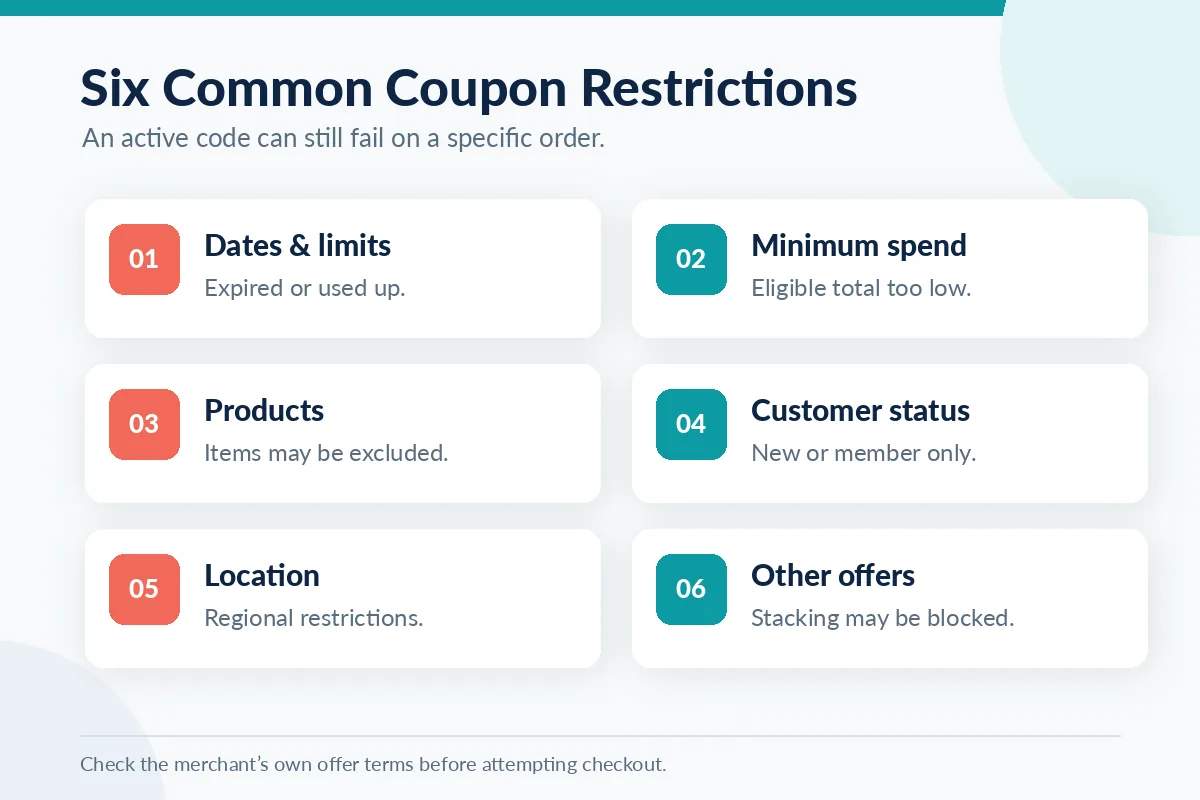
Coupon codes sometimes do not work because they have expired, were entered incorrectly, exclude items in your cart, require a minimum purchase, are limited to certain customers, have reached a redemption limit, or cannot combine with other discounts. A rejected code is not necessarily fake. It can be genuine but ineligible for your particular order.
The most useful troubleshooting approach is to interpret the checkout message, read the merchant’s current promotion terms, and verify the final amount due. This guide explains nine common causes and a practical five-step fix.
First, Read What the Checkout Error Says
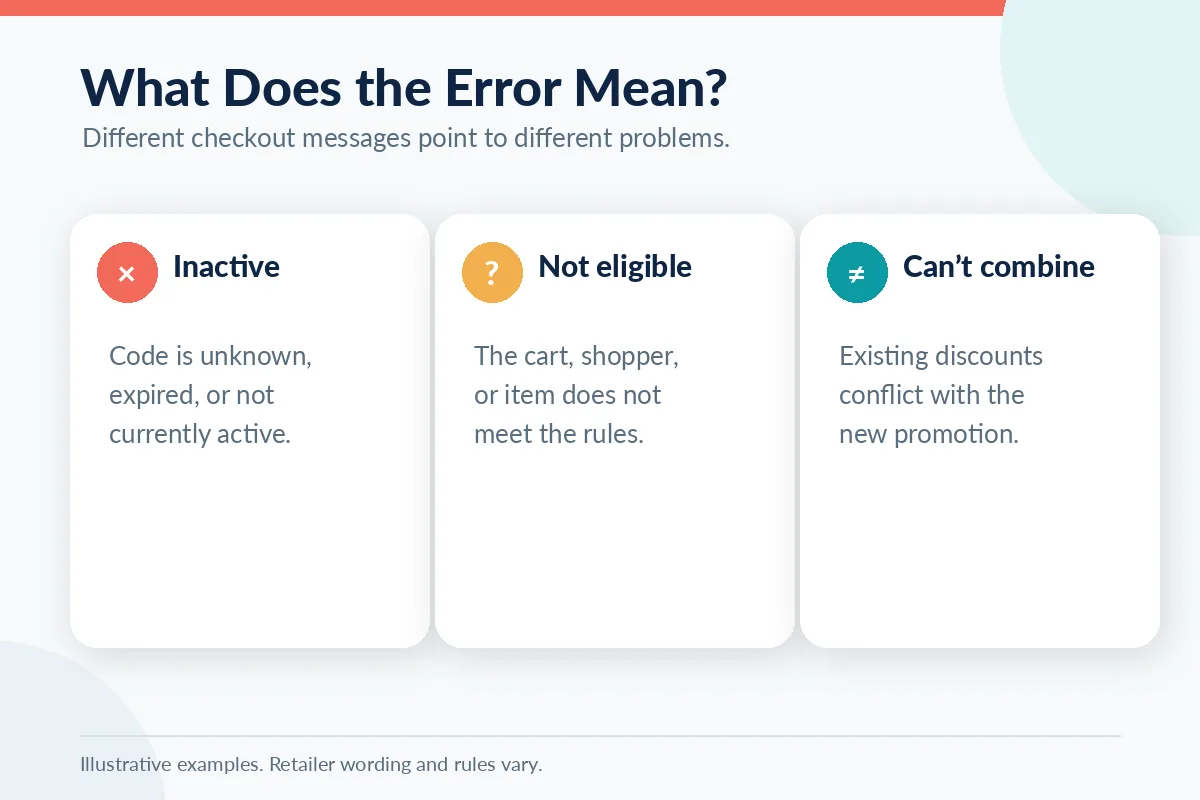
Not all checkout systems use the same wording. However, an error saying a code is invalid or inactive means something different from a code that exists but cannot be applied to the products in your cart. A third message might indicate that the promotion cannot combine with another discount.
For example, Shopify’s discount-code FAQ documents distinct messages for inactive or unrecognized codes, ineligible items, and incompatible discounts. The exact error shown on another retailer’s website may differ.
| Message type | Possible cause | What to check |
|---|---|---|
| Invalid or inactive | Typos, an unknown code, or dates outside the offer window | Exact code text and valid dates |
| Not valid for cart | Excluded items, variants, or customer conditions | Eligible products and accounts |
| Minimum purchase | Eligible merchandise subtotal is too low | Threshold defined in the terms |
| Already used | Per-customer or campaign usage cap | Order history and official support |
| Can’t combine | Another promotion conflicts with this one | Existing automatic or typed discounts |
1. The Code Has Expired or Has Not Started Yet
Many promotions have start and end dates, sometimes with specific times. An old coupon directory listing can continue to display a code after the merchant has ended its campaign. A scheduled future promotion may also reject early redemptions.
Check the official promotion dates and the merchant’s time zone. A code that expires at midnight in the store’s location may end earlier or later than midnight where you live. Do not assume the calendar date on an unrelated website determines current validity.
2. There Is a Typo or Extra Space in the Code
A copied code may have a leading space, trailing space, or incorrect letter or number. Double-check characters that look alike, such as O and 0 or I and 1. Whether capitalization matters varies by system; enter the exact characters supplied by the merchant.
If the promotion is supposed to activate through a link or automatically, entering a code may not be part of the process at all. Check the retailer’s instructions before retrying repeatedly.
3. Your Cart Has Ineligible Products
Coupons can be restricted to specific collections, brands, products, and variants. The promotion may exclude clearance merchandise, some bundles, gift cards, or other categories. A banner using the word “sale” does not prove that every product qualifies.
Consider a hypothetical 20%-off code valid only for one $30 item inside a $100 cart. If the other $70 of merchandise is excluded, the coupon would reduce the eligible item by $6—not the whole order by $20. The example is illustrative, not a real promotion.
4. The Minimum Qualifying Spend Is Too Low
A coupon might require an eligible subtotal of $75, but not count taxes, shipping, or excluded merchandise toward that amount. A cart that displays $80 overall may therefore fail if only $70 counts under the merchant’s rules.
Do not add something you do not need solely to cross the threshold. Spending $20 more to save $10 can increase your out-of-pocket cost rather than reduce it.
5. The Offer Is Restricted to Certain Customers
Welcome promotions may be available only to first-time buyers. Member and loyalty codes may require a signed-in account or a particular customer group. Personalized discounts can be linked to an email address or specific shopper.
If a code works for a friend but not for you, different eligibility can explain it. Check your account status and the offer’s terms instead of assuming the code is universally public.
6. The Redemption Limit Has Been Reached
Merchants can cap the number of total coupon uses, the number of uses per customer, or both. A code could have worked recently but now be exhausted. Sometimes an unfinished checkout can affect a limited-use code on certain platforms.
Shopify’s FAQ documents cases where a checkout hold can cause an unused code to appear already redeemed. If your purchase did not complete and this happens, check your order history and contact the retailer rather than assuming the offer should automatically reset.
7. It Cannot Stack With an Existing Discount
A retailer may already have applied an automatic discount. A new promo code might not combine with it, or the checkout may choose an eligible combination that provides better savings. Product, order, and shipping discount classes can have different rules.
Shopify’s official combining-discounts guide describes configurable combinations and their limits. This does not mean every store accepts multiple codes or that the same rules apply to all platforms.
Compare the final amount using the existing discount with the amount after testing a new code. An accepted code that replaces a stronger offer might actually leave you worse off.
8. The Region or Checkout Type Is Excluded
Some offers are limited to shipping destinations, countries, stores, account programs, or purchase types. A subscription order may have different promotion rules than a one-time order. Express checkouts and apps can also show the promo field in a different location.
If you cannot find the code field, review the cart and expandable order summary or try the retailer’s normal checkout. If there is no eligible promotion, the code field may not appear at all on some platforms.
9. The Coupon Listing Is Old or Inaccurate
Third-party coupon websites can be useful discovery tools, but their listings can lag behind merchant changes. A “working” badge is not a guarantee that the code will apply to your order. It might be expired, personalized, or subject to restrictions the listing did not explain.
Use a listing as a lead, then check the real merchant’s terms and checkout. An outdated code on a directory is not automatically evidence that the website is running a scam; stale information and deliberate deception are different concerns.
How to Fix a Coupon Code That Won’t Apply
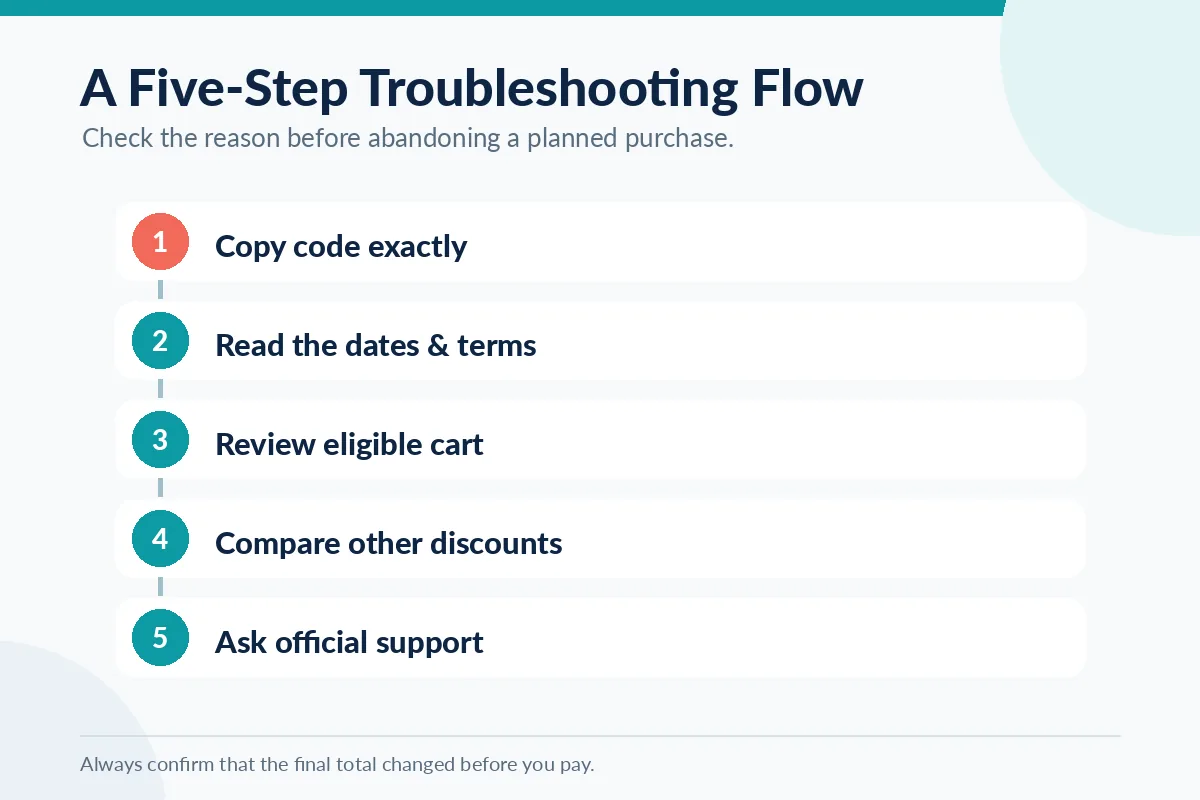
- Re-enter the exact code. Remove extra spaces and check confusing characters.
- Review the validity period. Look at the retailer’s official start and end times.
- Check the cart and account. Confirm qualifying items, subtotal, account status, and usage limits.
- Compare other offers. Check automatic discounts and whether combining promotions is allowed.
- Ask official support. Share the error and promotion details, but not passwords or one-time authentication codes.
Stop before payment if your expected savings are missing. Do not rely on an assumed refund or later price adjustment unless the merchant explicitly confirms one.
When Is a Failed Coupon a Safety Concern?
A code that fails on a legitimate retailer’s site is usually a promotion-status or eligibility issue, not evidence of fraud. Be more cautious when a third-party coupon link sends you to an unfamiliar domain, asks for your login password, demands a fee to reveal the code, or pushes a software download. Visit the retailer independently rather than submitting private details through a suspicious page.
Frequently Asked Questions
Why does it say my coupon code is invalid?
The code may be misspelled, expired, inactive, or unrecognized. Some stores also use generic error messages for specific restrictions, so check the terms.
Can a valid code fail for just one item?
Yes. An active code can be limited to certain products, collections, or variants.
Why does the code work for other shoppers?
Eligibility can depend on customer history, account membership, geography, cart contents, and redemption limits.
Can I use two promo codes at the same time?
Only if the retailer permits that combination. Check whether your checkout accepts both and the final amount due is lower.
Does a failed coupon prove it is fake?
No. Ordinary expiration, ineligibility, and usage limits explain many rejections. Verify the source separately if you suspect a scam.
The Bottom Line
Most coupon-code failures come down to eligibility, timing, usage limits, or discount-combination rules. Check the retailer’s message and terms, compare the final total, and avoid adding unwanted products solely to make an offer work.