CouponF5 is an independent publisher. We may earn a commission when you purchase through our links, at no extra cost to you. Merchant terms apply.
In this guide
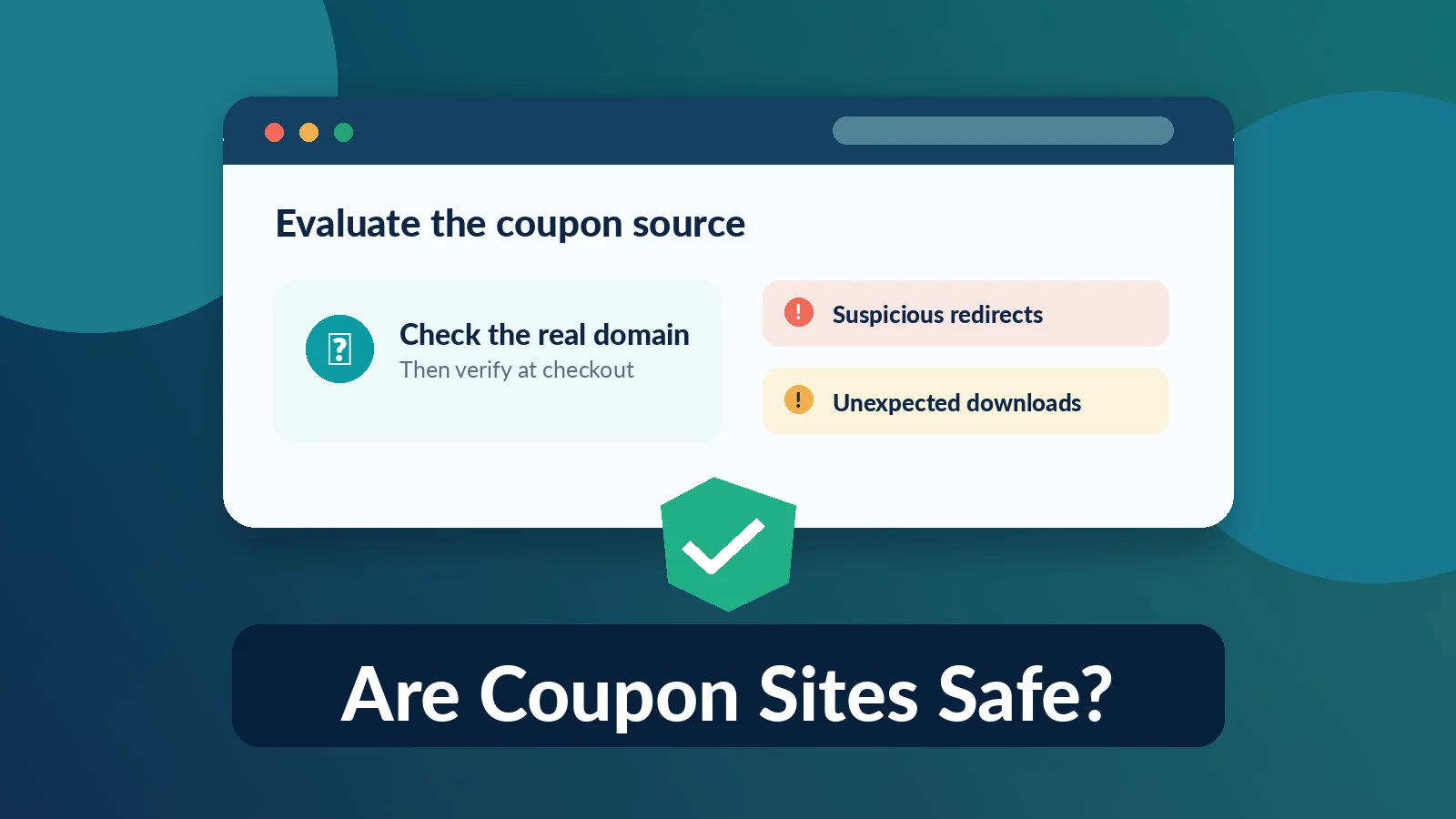
Coupon websites can be safe and useful for finding possible discounts, but not every coupon site, offer, or outgoing link is trustworthy. A responsible shopper checks who runs the site, where its links lead, what information it requests, and whether the discount really applies at the merchant’s checkout. A coupon directory’s “verified” badge is not a guarantee that a code works for everyone.
The key distinction is between using a coupon website to discover an offer and using the retailer’s own checkout to redeem it. You can often browse listings without sharing sensitive details. Treat a demand for passwords, payment card information, or an unfamiliar download just to reveal a code as a reason to leave.
Are Coupon Sites Safe? A Practical Answer
Some coupon sites operate like ordinary publishing or affiliate websites. They organize possible offers, explain conditions, and direct shoppers to retailers. Others may have stale or misleading listings, aggressive pop-ups, questionable tracking practices, or links that impersonate legitimate stores. These risks are not all equally serious.
An expired coupon can be frustrating without being a scam. An undisclosed redirect may raise a transparency concern without proving theft. A lookalike merchant website asking for your credit card details is a substantially greater warning sign. Evaluate what a site actually does instead of assuming every coupon directory is safe or every directory is fraudulent.
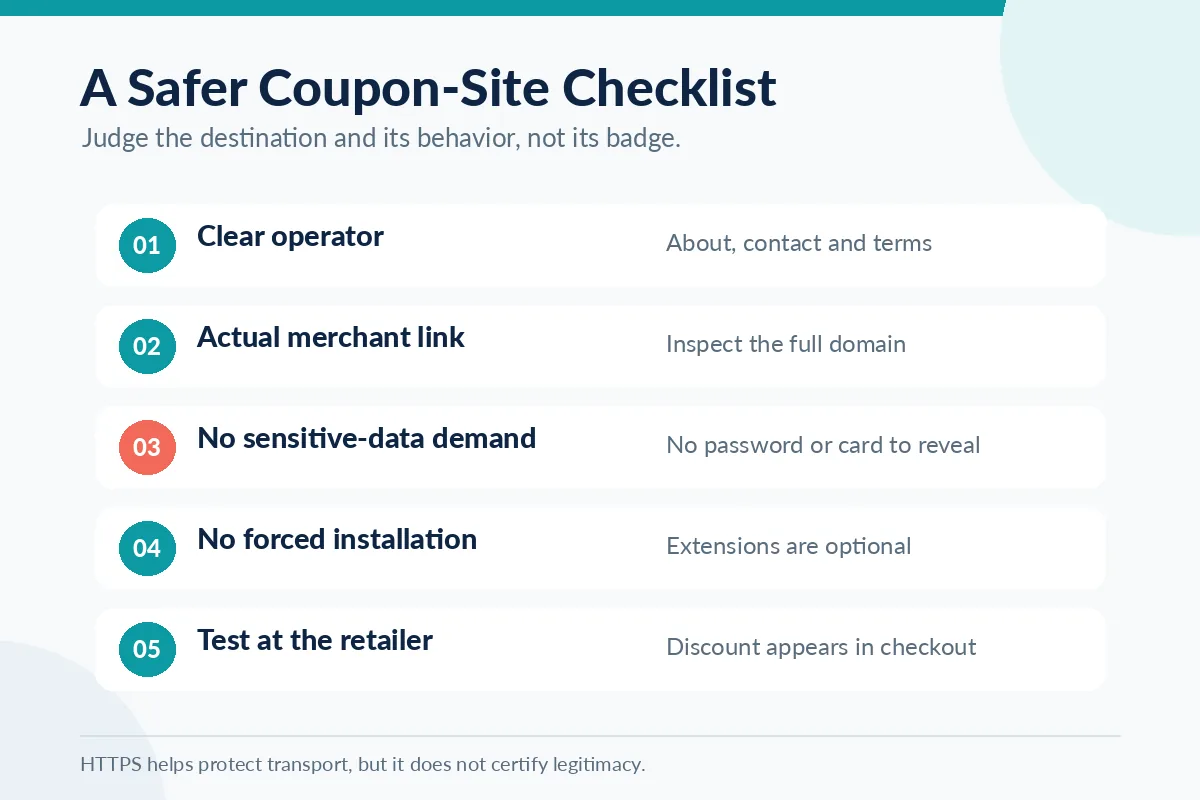
Five Signs a Coupon Website Is Worth Checking
1. It identifies who operates the website
Look for an About page, contact information, reasonable terms, and a privacy policy explaining data practices. These elements are helpful transparency signals, not proof of legitimacy. A scammer can publish professional-looking policies, so cross-check the operator’s reputation when unsure.
2. Listings explain the offer rather than just promising savings
A useful coupon listing says what type of discount is claimed, which retailer it belongs to, and any visible eligibility conditions. Look for dates, minimum spends, product exclusions, membership requirements, and whether the deal needs a code or is automatic.
Listings cannot always confirm current availability. Treat labels such as “today’s working codes” or “tested” skeptically unless the site explains what was checked and when. The retailer remains the authority for redemption.
3. Its links lead to the real merchant
Inspect the destination before entering any account or payment details. Affiliate tracking or redirect URLs can be legitimate parts of how some publishing sites earn revenue, but they should ultimately take you to the intended retailer—not an unrelated lookalike page.
When a redirect is unclear, open the store independently by typing its verified web address. The display text of a link is not enough; verify the full domain where the checkout actually happens.
4. It does not demand sensitive information to show a code
Normal coupon discovery should not require you to provide a retailer password, one-time login code, banking information, or payment card number to an unknown third party. Some legitimate services offer optional accounts, newsletters, and memberships, but you should evaluate their terms and decide whether you want to share information.
If a site claims you must pay or complete an unexpected verification survey to reveal an ordinary promo code, treat the claim as a warning sign. Research who operates the site and what is being sold before proceeding.
5. It allows you to verify the discount at checkout
The most meaningful test is whether the merchant’s real cart accepts the code and displays the expected eligible reduction. A listing can be authentic yet expired or restricted to certain accounts. Do not place an order assuming an unverified code will be honored later.
Red Flags That a Coupon Site or Link May Be Risky
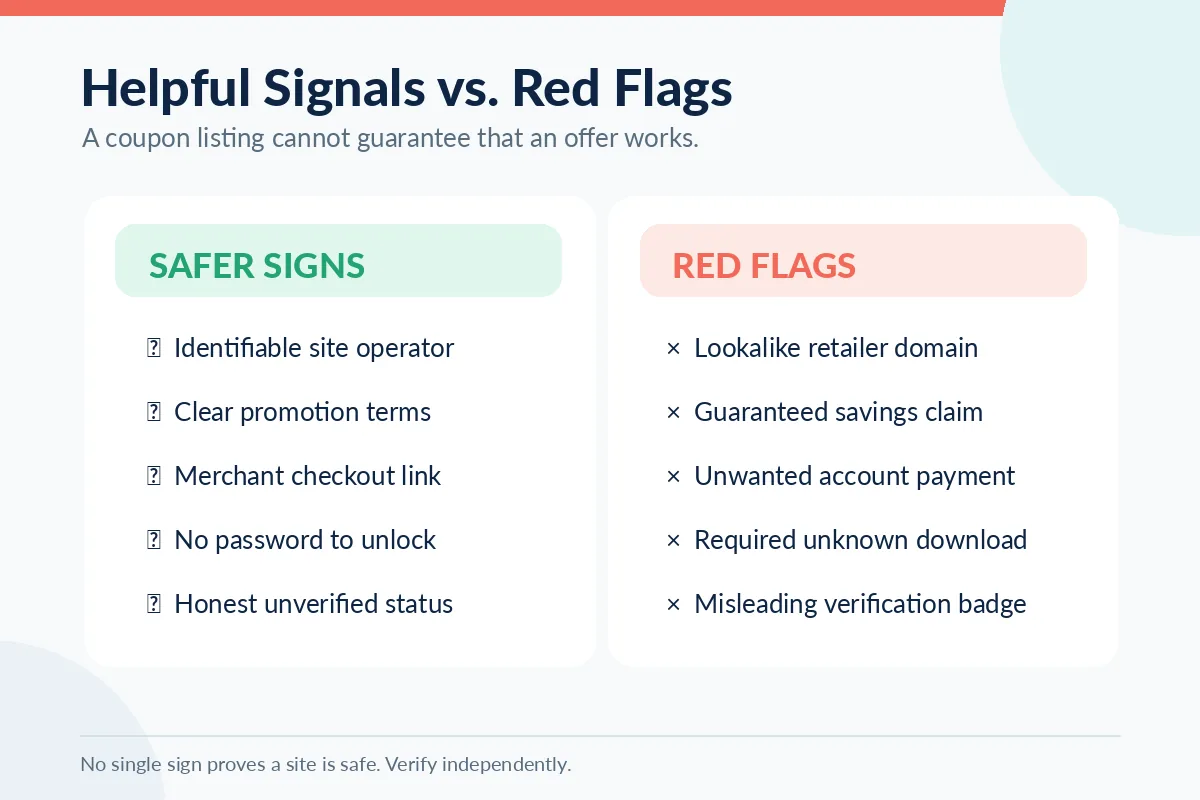
Be cautious when a coupon website or linked page does any of the following:
- Impersonates a retailer: its domain is misspelled or designed to resemble a known store.
- Promises guaranteed extraordinary discounts: it makes sweeping claims without clear terms or a credible source.
- Requires unexpected software: you must install an unknown extension, app, or file before seeing a supposed coupon.
- Requests account secrets: it asks for passwords, authentication codes, banking credentials, or unrelated identity information.
- Pushes urgent payment: it requires a fee to “unlock” a coupon without explaining a legitimate paid service.
- Redirects to unrelated domains: the page no longer matches the merchant whose offer you wanted to check.
The Federal Trade Commission’s phishing advice warns that scammers can use fake offers, including supposed coupons for free items, to lure people into revealing information or clicking unsafe links. A familiar logo is not sufficient proof that a message or destination is authentic.
Does HTTPS Mean a Coupon Website Is Safe?
No. HTTPS indicates that the connection between your browser and the site is encrypted, which is important for protecting data in transit. It does not prove that a website is honest, that its offers are genuine, or that the operator is the merchant it claims to represent.
The FTC’s online-shopping guidance makes this distinction explicit: scam sites can use HTTPS too. Check the full domain, who runs the business, independent reputation, and the behavior of the checkout. Do not treat a padlock icon as a trust certificate.
Are Coupon Browser Extensions Safe?
Extensions can be useful for discovering or applying eligible offers, but they introduce a separate decision about permissions and data access. A browser extension may request access to web pages or shopping activity so it can perform its function. The details vary by product; you should not assume every extension collects the same information or behaves the same way.
Before installing anything, read the permissions requested, the privacy policy, recent independent reviews, and the developer’s identity. Prefer software from the official browser extension store and assess whether you actually need it. Being listed in a store does not make a tool risk-free.
Many shoppers can look for coupon codes on the retailer’s website or a coupon directory without installing an extension. Skip any site that says an unfamiliar download is mandatory merely to reveal a discount code.
What About Affiliate Links and Coupon Redirects?
Some coupon websites earn commissions if a reader follows an eligible link and makes a purchase. That business model is not automatically unsafe. The important questions are whether the relationship is clearly disclosed, whether the link points to a relevant merchant, and whether the destination is the real retailer.
Recognize that a redirect can pass through an affiliate or tracking service before reaching the merchant. Do not enter passwords or card details on an unexpected intermediary page. When the destination is uncertain, navigate independently to the store and verify the offer there.
An affiliate relationship does not prove a coupon was personally tested. Claims about current validity should still be judged on the actual evidence supplied and your checkout result.
How to Use a Coupon Website More Safely
- Start with the product you intended to purchase. Compare prices and retailer reputation before chasing a discount.
- Check the coupon site’s operator and terms. Look for contact details, a privacy policy, clear offer conditions, and a reasonable way to identify the merchant.
- Inspect outgoing links. Check the destination and independently open the official merchant if anything looks unusual.
- Do not provide unnecessary personal information. Avoid passwords, payment data, and forced downloads just to view a code.
- Apply the code only at the retailer’s real checkout. Check dates, eligible items, minimum spend, and any combination rules.
- Compare the final total. Confirm savings after shipping, taxes, and other discounts before placing an order.
If you cannot confirm that the website or offer is legitimate, stop. A potential discount is not worth exposing your account or payment information.
What Should You Do if a Coupon Link Looks Suspicious?
Do not enter further information. Close the suspicious page and independently find the retailer’s official website. If you entered a password on a suspicious page, change it through the legitimate service and consider enabling multifactor authentication. If you submitted card details or paid an unfamiliar seller, contact the card issuer or payment provider through a verified channel.
If you installed unfamiliar software, follow your device’s security guidance and run a trusted scan. US consumers can report suspected fraud to ReportFraud.ftc.gov. If identity theft is a concern, IdentityTheft.gov provides relevant next steps.
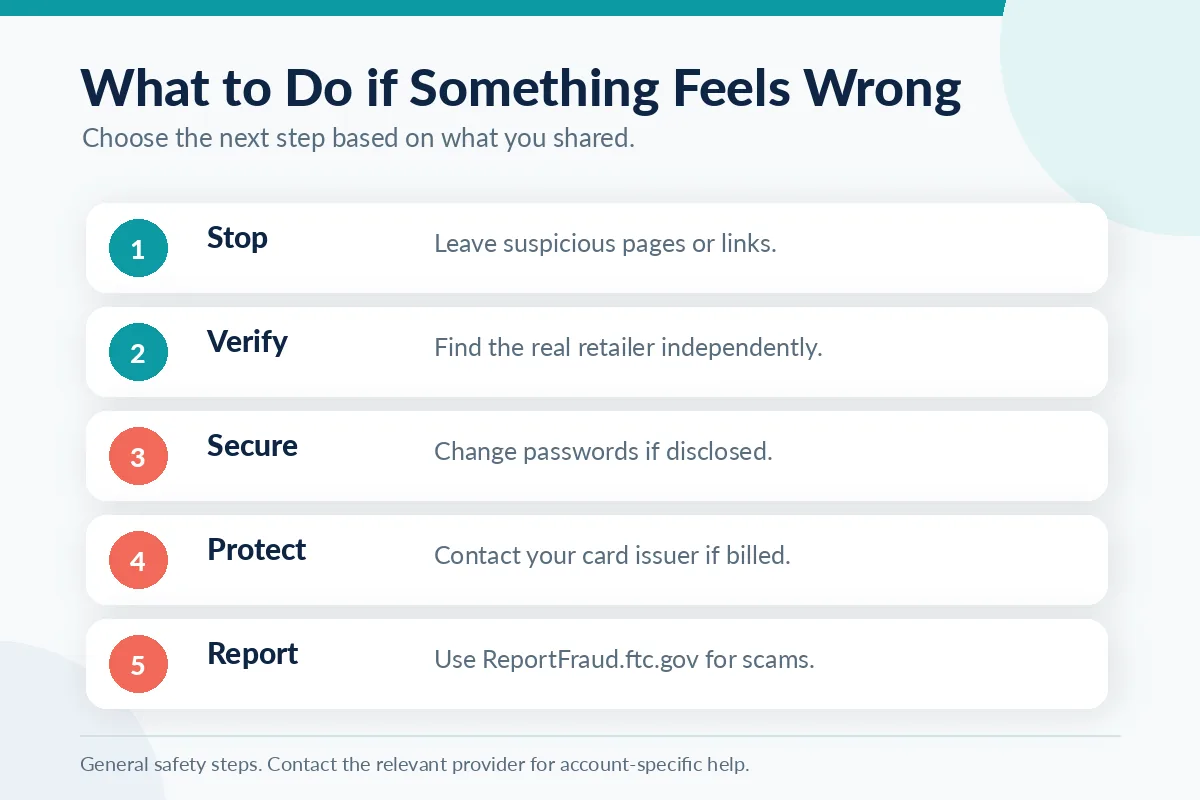
These are general risk-reduction measures, not a claim that opening a page necessarily compromised your device. Respond according to what information or access you actually provided.
How Do You Tell a Bad Coupon Listing From a Scam?
| Situation | What it might mean | Safer response |
|---|---|---|
| Coupon expired on real merchant site | Stale listing or expired promotion | Check current merchant offers |
| Code is active but excluded for your cart | Eligibility rules | Review products and terms |
| Coupon page asks for password | Potential phishing or data misuse | Leave and visit merchant independently |
| Link leads to a lookalike store | Possible impersonation | Do not enter payment information |
| Site explains affiliate relationships | Possible commercial disclosure | Evaluate the destination and offer separately |
Frequently Asked Questions
Is it safe to copy coupon codes from a website?
Copying plain text from a reputable page is not the same as entering private data. Still, verify the merchant and promotion at its real checkout, and be cautious about misleading links or required downloads.
Are all coupon websites scams?
No. Some operate as genuine shopping-information or affiliate websites. Safety and accuracy vary, so evaluate the operator, outgoing links, privacy practices, and claims.
Can an expired code mean a site is unsafe?
Not necessarily. A stale listing may be a quality problem rather than a security threat. Investigate further if the site also impersonates retailers, requests secrets, or pushes suspicious software.
Should I install an extension to get coupons?
It is optional. Review the developer, permissions, privacy practices, and your actual need before installing. You can usually search for codes without one.
Is a padlock icon proof a coupon site is legitimate?
No. HTTPS helps encrypt the connection but does not establish the site’s honesty or ownership.
The Bottom Line
Coupon websites can be useful, but they deserve the same scrutiny as other shopping-information sites. Check who runs the service, avoid suspicious demands, verify outgoing links, and confirm savings at the actual retailer’s checkout. A legitimate offer should help you spend less—not require you to surrender sensitive information or trust an unverifiable claim.