CouponF5 is an independent publisher. We may earn a commission when you purchase through our links, at no extra cost to you. Merchant terms apply.

In this guide
Yes, coupon stacking is possible at some online stores, but only when the retailer allows the specific discounts to combine. You may be able to use a product code with a shipping promotion, or an eligible order-level discount with an automatic offer. Two individually valid promo codes do not automatically work together.
The important questions are which parts of your cart the discounts affect, how the store calculates them, and whether the final checkout amount is truly lower. Here is what shoppers need to know about stacking without assuming that every retailer uses the same rules.
What Is Coupon Stacking?
Coupon stacking means using more than one savings offer on a single purchase. Those offers might be two typed codes, a typed code plus an automatic sale, a loyalty benefit plus a shipping waiver, or other permitted combinations. Some merchants treat a product discount, an order discount and a shipping discount as different classes.
Stacking is different from using several codes in sequence on separate orders. It is also different from a single coupon that contains multiple benefits, such as one combined offer for item savings and delivery. The retailer’s actual checkout rules determine what counts and what can apply.
Which Discounts May Combine?
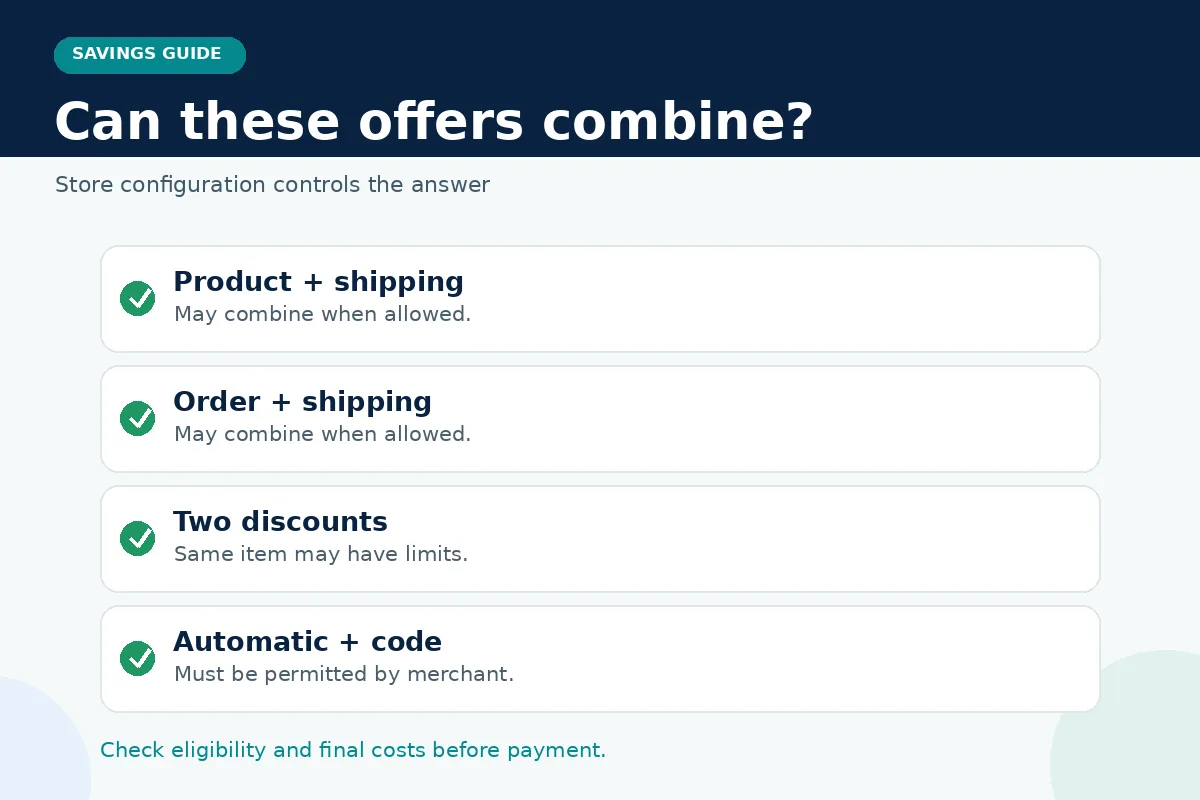
Shopify’s official combining-discounts documentation provides a concrete example of how a platform can allow some combinations and restrict others. It describes product, order and shipping classes and shows eligible combinations involving discounts on separate items, discounts on the overall order, and delivery adjustments.
| Possible combination | What to know |
|---|---|
| Product + shipping discount | May work when both discounts permit the combination |
| Order + shipping discount | May work when merchant settings and eligibility allow |
| Two product discounts on different items | May be supported when each applies to a different eligible item |
| Multiple discounts on the same item | Often more restricted; platform capabilities matter |
| Automatic discount + code | Can combine on supported systems when settings permit |
The table describes possibilities, not universal merchant promises. Some stores allow only one promo code; others support more flexible combinations with category, item or checkout restrictions.
Does the Order of Discounts Matter?
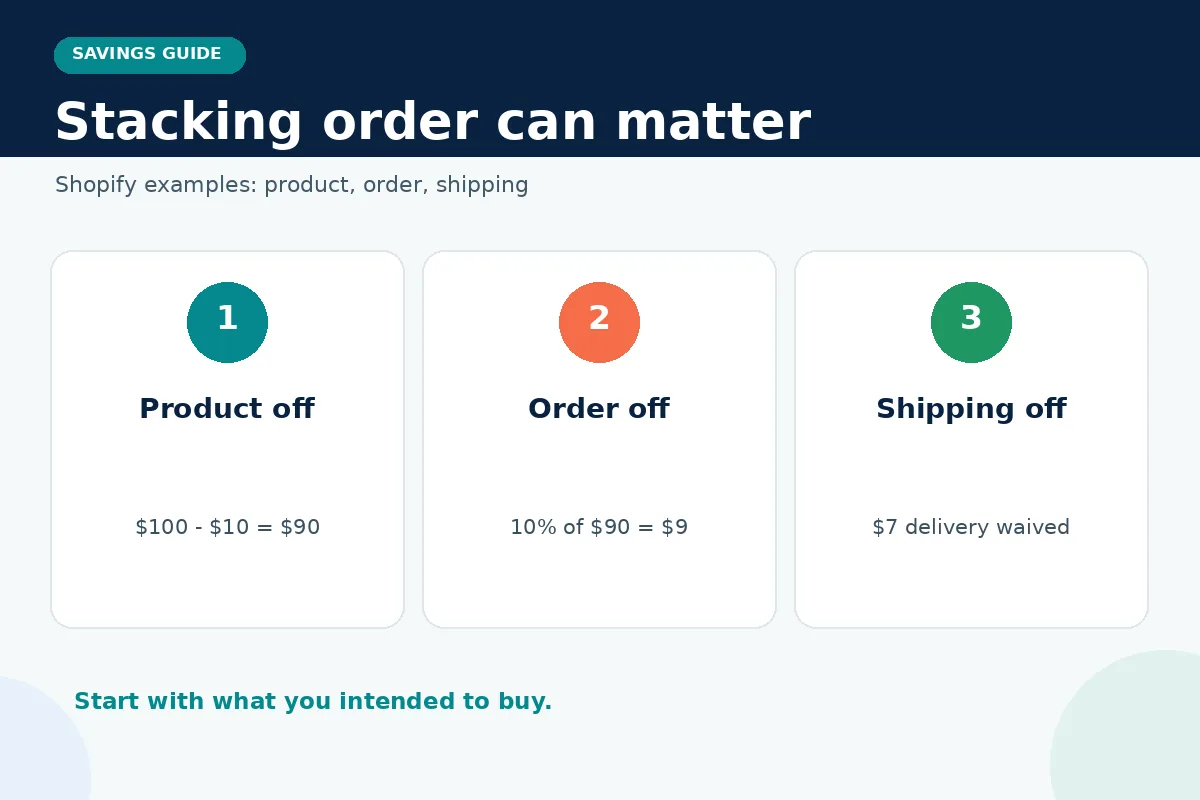
Yes. If a platform allows stacking, calculation order can affect the result. Shopify’s documented order is product discounts first, order discounts applied to the resulting subtotal, and shipping discounts last. That is useful to understand when evaluating a Shopify checkout, but it should not be generalized to every commerce platform.
Take an illustrative permitted sequence. Your product subtotal starts at $100 and normal shipping is $7. A product-specific $10 discount reduces the subtotal to $90. An eligible order-level 10% discount then removes $9, leaving $81. A free-shipping promotion waives the $7 delivery cost. The resulting total is $81 before taxes, compared with the original $107 before taxes. The difference is $26.
The arithmetic assumes all three promotions are compatible and qualify. It does not imply a real retailer offers those discounts or that combining them will always be possible.
Can You Enter More Than One Promo Code?
It depends on the merchant and its checkout. Some allow multiple eligible codes; others permit one typed code plus an automatic discount or only one promotion at a time. A code box that appears to accept a second string does not prove that the second discount will apply.
As a platform-specific example, Shopify’s current documentation describes a limit of up to five product-or-order discount codes and one shipping discount code on an order, subject to compatible checkout and combination rules. That is not a universal limit for the internet, and individual merchants can impose stricter conditions.
Some discounts cannot be stacked onto the same line item even when two codes look relevant. Check the actual checkout message, any removed discount lines, and the final total.
Why Two Valid Codes Might Not Stack
A merchant may restrict stacking to protect the terms of a campaign. Common causes include incompatible discount classes, the same product already receiving another item promotion, a new-customer restriction, a minimum order not met after another discount, or an automatic deal that takes priority.
A code may work by itself but fail when another promotion is active. That does not automatically mean the code is fake or expired. It can be a perfectly real discount that simply cannot be combined under the retailer’s settings.
Stacking Two Percentage Codes Does Not Always Mean Adding Percentages
Two 10% offers are not guaranteed to produce a 20% reduction. Different systems can apply percent discounts to different bases or restrict combinations entirely. Even on the same platform, product-level and order-level discounts may behave differently.
A sequential hypothetical calculation shows why the order matters: a 10% product reduction on $100 leaves $90; a subsequent 10% order discount on $90 saves $9, giving $81 rather than $80. Some supported combinations of multiple order-level percentages use different rules. The checkout is the definitive source for the actual total.
Can You Stack Free Shipping With a Product Coupon?
Often this is one of the more intuitive combinations because the promotions target different parts of the order, but availability still depends on merchant settings. A product code can reduce eligible merchandise while a shipping offer removes an eligible delivery fee. If both appear at checkout, compare the final amount after tax and other fees.
If the store rejects the shipping code because of an existing item promotion, test each offer individually. The best total may come from a larger item discount alone instead of a smaller combined effect that is not actually allowed.
How to Test Coupon Stacking Safely
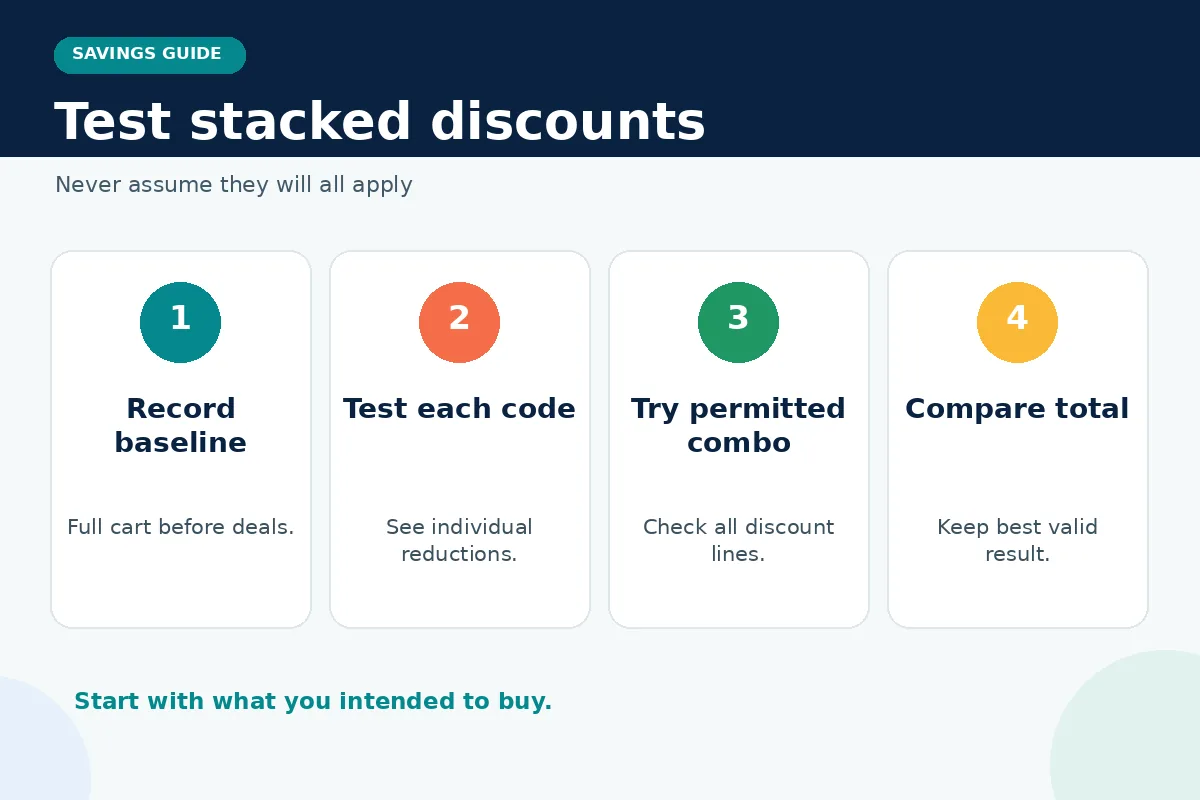
- Record the baseline. Note the final amount and any automatic discounts already present.
- Test each code separately. Confirm its eligibility, individual savings, and restrictions.
- Try the combination only if permitted. Enter the second code and read the response; do not attempt to bypass account or campaign limits.
- Inspect every applied discount. A new code might replace an existing one or change the eligible subtotal.
- Compare the full total before payment. Include shipping, taxes and fees instead of relying on the number of codes accepted.
Does Stacking Work With Sale Items, Loyalty Benefits and BOGO?
Sometimes, but each adds eligibility questions. A sale product may already be excluded from further product discounts. A loyalty reward may require a signed-in account or be treated differently from a promo code. Buy-X-get-Y discounts can have special restrictions on stacking additional item reductions.
Do not assume the word “loyalty” or “BOGO” creates a separate category of unlimited savings. Read the merchant’s exact terms and check whether the final cart reflects the claimed benefit.
Frequently Asked Questions
Can I use two promo codes on one order?
Some merchants permit it when the codes and checkout are compatible. Others allow only one or reject a conflicting combination.
Can an automatic discount stack with a code?
Yes on some platforms and merchant configurations. It is not guaranteed, so verify the actual result at checkout.
Why was my first discount removed after I entered another?
The offers may conflict or the checkout may select an eligible alternative. Compare the final amount with and without the second code.
Can I combine percentage-off and free shipping?
Often possible when the retailer allows an item or order discount to combine with a shipping benefit. Conditions still apply.
Do multiple discounts always produce more savings?
No. Some combinations are rejected or replace a better promotion. The best result is the lowest legitimate final total.
The Bottom Line
Coupon stacking is a permission, not an assumption. Check whether each discount is eligible and compatible, understand that calculation order matters, and compare the final checkout total. A single strong promotion can be better than several weaker or conflicting codes.