CouponF5 is an independent publisher. We may earn a commission when you purchase through our links, at no extra cost to you. Merchant terms apply.
In this guide
AIWriteBook
AIWriteBook Ultra Annual Plan — 25,000 Credits/Month
AIWriteBook Ultra provides 25,000 monthly credits, Pro tools, bring-your-own OpenRouter API key, priority support and founder onboarding. $1,440 billed yearly.
How to write a book when you have never finished one? Begin with a clear reader and promise, outline a manageable project, build a repeatable writing routine, and finish an imperfect first draft before trying to polish every sentence. Then revise for structure, get feedback, proofread, and prepare the appropriate files or submission materials. You do not need to buy expensive software or decide on a publishing deal before you write chapter one.
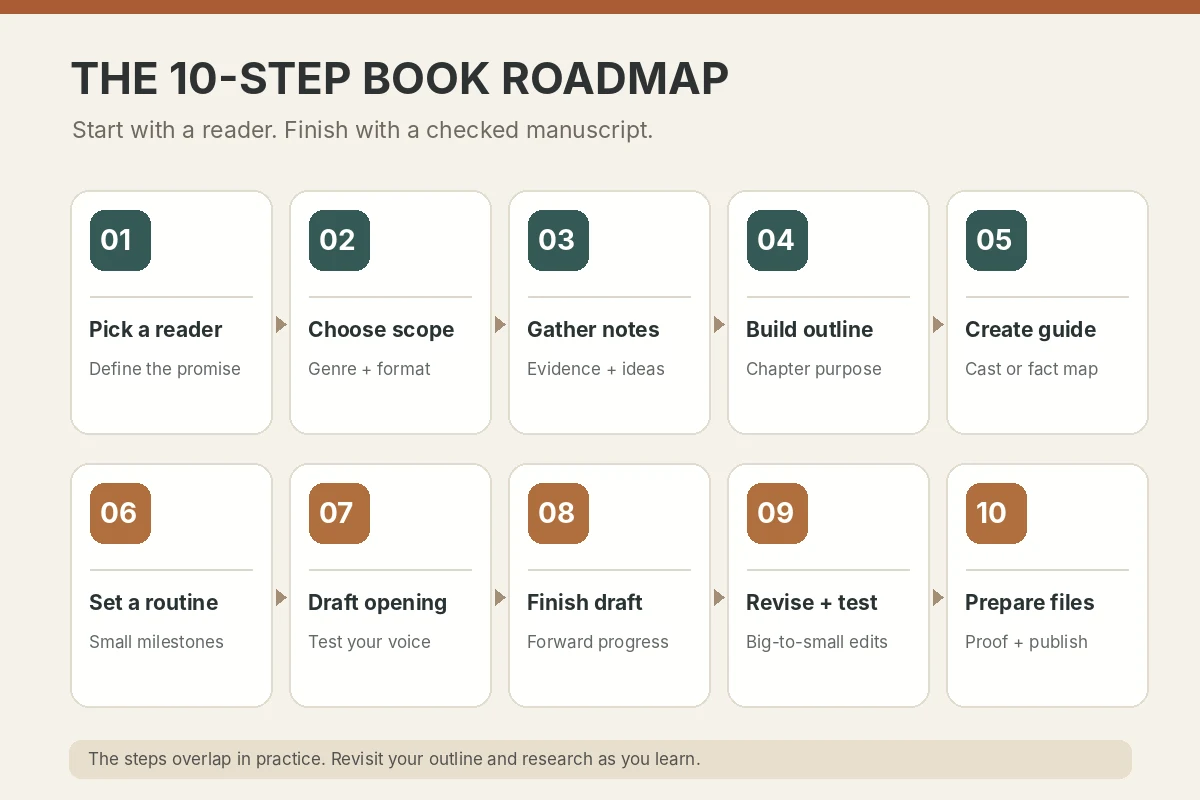
These 10 steps for beginners work for novels, memoirs and practical nonfiction, although the research and revision tasks differ. Each step ends with something tangible you can complete. AI tools such as AIWriteBook may help organize material and draft text, but they cannot supply your experience, verify facts automatically or promise that a book will be accepted for publication.
Step 1: Choose one reader and a clear book promise
Before selecting a title or opening a writing app, ask: Who is this book for, and what will that person get from reading it? For fiction, the promise may be a particular kind of story experience—an intimate mystery, for example, rather than simply “a novel.” For nonfiction, identify a specific transformation, such as helping a first-time apartment renter learn how to maintain a small balcony garden.
Write a one-sentence working promise. A fiction version might be: “A reluctant archivist must solve a town’s decades-old disappearance before a family secret becomes public.” A nonfiction version could be: “A beginner will learn to grow herbs in a sunny window with a simple weekly routine.” These are original illustrative examples, not claims about published books.
Finish this step with: one target reader, one problem or narrative question, and one reason your approach will feel distinct. If the idea is still broad enough to cover five unrelated books, narrow it before outlining.
Step 2: Decide the genre, scope and finish line
Choose whether the project is fiction, memoir or nonfiction; whether it is a standalone work or part of a series; and what “finished” means for this first version. Your finish line might be a short manuscript ready for readers, a complete novel draft, or a nonfiction proposal plus sample chapters. You do not need to announce a word count publicly, but a rough scope helps you avoid planning a 40-chapter epic when your real goal is to complete a first book.
Research your intended genre by reading recent, relevant books. Notice how they introduce the subject, move between chapters, and satisfy the audience’s expectations. Do not copy their prose, cover designs or distinctive stories. If you intend to pursue traditional publishing, the path may involve agents, proposals and submission packages; independent publishing usually requires you to manage editing, design and platform files yourself.
Finish this step with: a short project brief stating genre, reader, likely format and one realistic milestone.
Step 3: Collect your research, observations and source notes
For nonfiction, make a list of claims that will require primary evidence, interviews, firsthand knowledge or citations. Save source URLs, author names, publication dates and the relevant page or passage as you work. If you use someone else’s photos, tables or extended quotations, investigate the relevant permissions instead of assuming a source credit makes reuse legal.
For fiction, research the settings and real-world details that affect credibility, then separate facts from the invented world of the story. For memoir, build a timeline and check the factual basis of events involving identifiable people. Your notes do not need to be beautiful; they need to be findable. One organized document or folder can be more useful than a complicated research database.
Finish this step with: a brief research list and a place to store sources and unanswered questions. Do not delay the entire first draft to research every minor detail.
Step 4: Build a chapter-by-chapter outline you can revise
Describe the purpose of each proposed chapter in one or two sentences. A novel outline can track what the protagonist wants, what changes and which conflict pushes the next chapter forward. A nonfiction outline should follow the reader’s learning journey: what they must understand before moving to the next topic, and which examples help them apply the advice.
The AIWriteBook outline builder is one optional way to create and rearrange chapter cards; a notebook, spreadsheet or ordinary word processor can do the job too. AIWriteBook’s workflow connects the outline to subsequent chapter generation, but the author’s job is still to review every chapter goal. An outline is a guide, not a contract that forbids discovery while drafting.
Finish this step with: a complete list of chapters, a one-sentence purpose for each, and the three biggest gaps you still need to solve.
Step 5: Make a story bible or nonfiction evidence map
Novelists benefit from a compact reference sheet for characters, goals, relationships, chronology, voice and important settings. This helps catch continuity problems such as an object appearing before it was found or a character knowing information too early. For nonfiction, build an evidence map: which claim belongs in which chapter, what supports it, and where more reporting is required.
Keep this reference short enough to update. It is not an excuse to spend six weeks building character biographies that never affect the plot. AI assistance can suggest missing questions or organize notes, but you should verify the details and retain control over your own material.
Finish this step with: one living reference page for story facts or research evidence.
Step 6: Set a writing schedule you can actually keep
Choose a repeatable session rather than promising to write whenever inspiration arrives. For example, 500 words on four days each week would produce about 2,000 draft words weekly before revisions. That is an illustrative planning calculation, not a productivity guarantee; some days may be better used for planning a difficult scene or checking sources.
Protect your sessions by making each target small: “draft the argument in chapter three” is more actionable than “work on my book.” Keep a running note of where you stopped and the next paragraph you intend to write. A missed session does not require abandoning the project; resume at the next planned one.
Finish this step with: scheduled writing blocks for the next two weeks and a weekly review date.
Step 7: Draft a first chapter to test the voice and structure
Your opening chapter should make the reader want to continue. In fiction, establish a person, a situation and a compelling change or question. In practical nonfiction, explain the problem, the reader’s destination and the useful first concept. You do not have to perfect the first sentence; write a complete chapter and ask whether it delivers the promise you identified in Step 1.
If you use AIWriteBook, the merchant says its chapter generator can work from the outline and writing-style settings, with an introductory first-chapter experience. Treat generated passages as draft material to review, rewrite and fact-check, not as published-ready prose. A writing tool’s claimed style matching does not establish that it will preserve your voice in every paragraph.
Finish this step with: one complete chapter and notes on what your intended reader would find confusing, slow or engaging.
Step 8: Keep drafting until the manuscript has an ending
Once the opening works well enough to proceed, move forward chapter by chapter. Save new ideas in a “later revision” document instead of rewriting the opening indefinitely. Problems will arise: a character’s motivation may change, an interview may contradict your argument, or a chapter may no longer fit. Record the issue and keep going when it does not block the next scene or explanation.
As a professional writing guide from Reedsy also emphasizes, a plan supports the work but does not replace writing and revising it. You can use AI for brainstorming, alternative structures or wording suggestions if helpful, yet every accepted passage still requires your judgment. Back up drafts outside any single app; do not rely on an online workspace as your only copy.
Finish this step with: a beginning, middle and ending—even if some transitions are awkward and some placeholders remain.
Step 9: Revise in layers, then ask real readers
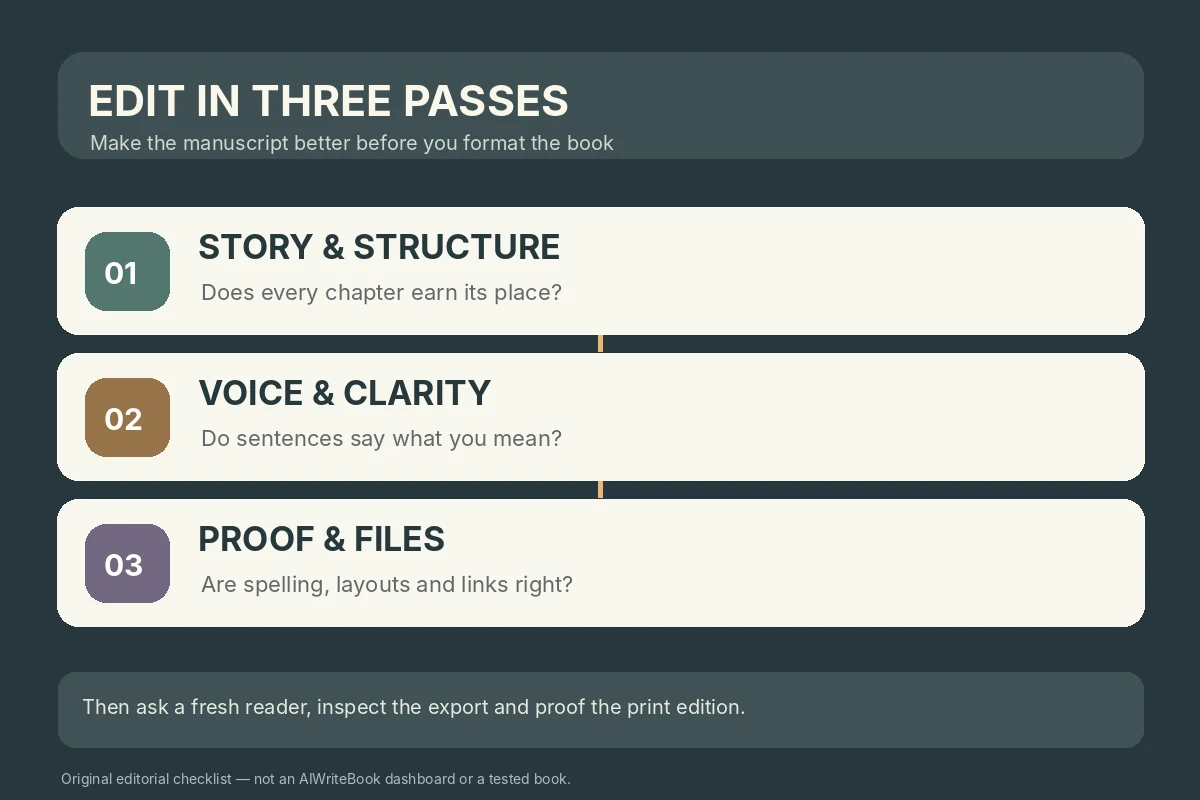
Give the manuscript some distance and read it as a whole. Start with developmental revision: structure, missing scenes, logic, pacing, argument and chapter order. Next tackle line-level editing: clarity, repetitions, tone, dialogue and transitions. Save spelling, punctuation and final consistency checks for a later proofreading pass. Editing every comma in a chapter you may eventually remove wastes effort.
Seek feedback from beta readers who understand the genre or audience. Ask focused questions such as “Where did you lose interest?” or “Which instruction could you not follow?” rather than simply “Did you like it?” For a commercial release, consider whether a professional developmental editor, copy editor or proofreader would add value. The Reedsy editing guide distinguishes these stages and explains why outside readers can expose problems the author has stopped noticing.
Finish this step with: a revision checklist prioritized by reader impact and a manuscript ready for final proofing.
Step 10: Proofread, prepare files and choose a publishing route
Decide whether you will query agents or publishers or publish independently. For traditional submissions, follow the recipient’s actual instructions on query letters, sample chapters and manuscript formatting. For self-publishing, prepare the interior, cover, description and metadata for the exact platform and edition you intend to release. An eBook file and a print-on-demand paperback require different quality checks.
Amazon KDP’s paperback formatting guidance explains that print interiors and covers are prepared separately. Use the platform’s preview and proofing tools to inspect running heads, margins, page breaks, images, bleed and spine dimensions. If you used AI-generated text, cover art or translations, review KDP’s current AI-content disclosure rules; using AI merely to brainstorm, edit or proofread an author-created manuscript is treated differently from supplying AI-generated material.
AIWriteBook offers a professional formatting workflow on eligible paid plans, but its outputs still need inspection and the relevant credit charges and subscription conditions apply. A successful file export is not proof of approval by a retailer or satisfaction among readers. Do not rush the final upload because the writing itself took a long time.
Finish this step with: either a submission package that follows the chosen agent’s instructions or proofed files and metadata prepared for the chosen self-publishing service.
How to stay motivated after the first week
The best habit is to make the next writing session obvious. End each session by jotting down the next action, keep a backup and celebrate completed chapters rather than focusing only on a distant publication date. If your outline needs to change, update it without treating the earlier work as wasted. A tool can make planning more convenient, but no subscription creates the discipline or decisions that turn a draft into a readable book.
Bottom line: learn how to write a book by completing manageable stages: promise, scope, research, outline, reference guide, schedule, opening chapter, full draft, revision and publication preparation. For a first book, finishing a solid manuscript matters more than finding the perfect software. Editorial disclosure: This guide is based on AIWriteBook documentation, Reedsy’s professional writing/editing resources and Amazon KDP’s publishing instructions reviewed November 23, 2026. We did not use a paid AIWriteBook account, write or publish a test book, or verify earnings. AIWriteBook affiliate terms require prior written approval for coupon/deal-site promotion; no affiliate CTA is included.
AIWriteBook
AIWriteBook Ultra Annual Plan — 25,000 Credits/Month
AIWriteBook Ultra provides 25,000 monthly credits, Pro tools, bring-your-own OpenRouter API key, priority support and founder onboarding. $1,440 billed yearly.