CouponF5 is an independent publisher. We may earn a commission when you purchase through our links, at no extra cost to you. Merchant terms apply.

In this guide
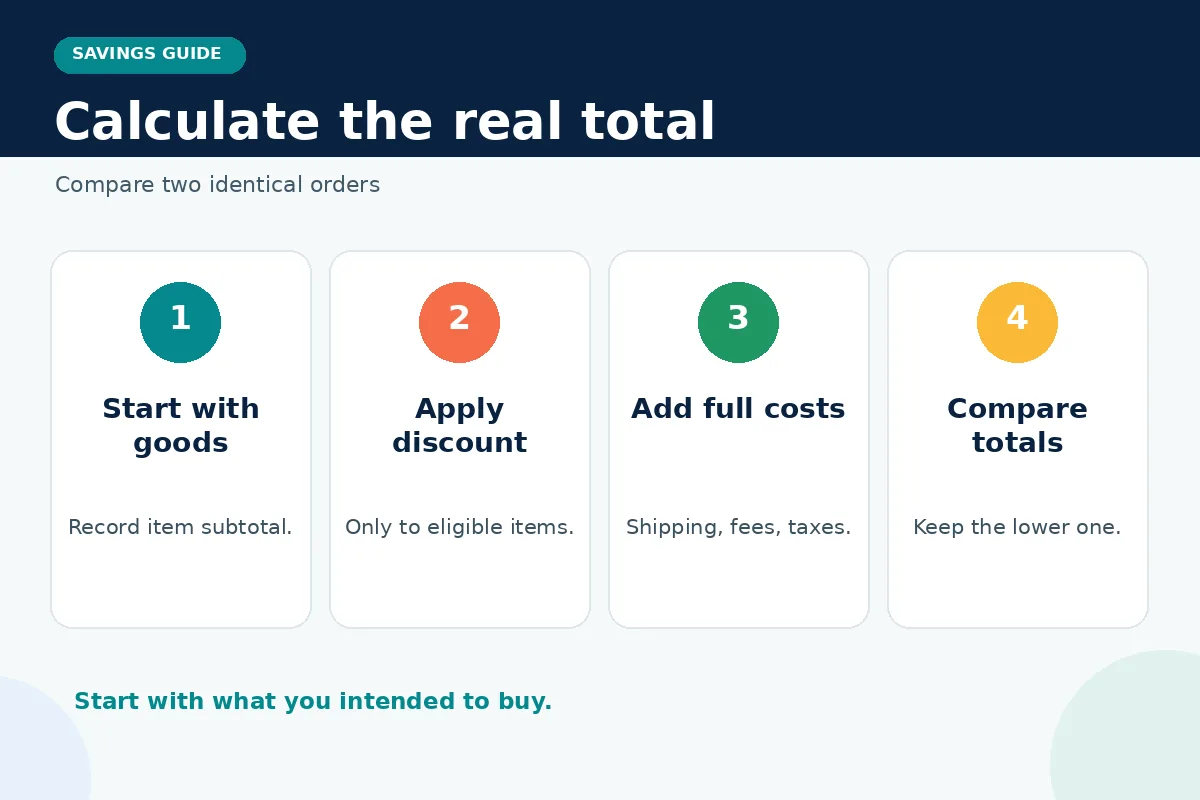
To calculate your real coupon savings, compare the final amount due for the same planned purchase with and without the eligible offer. Include merchandise, shipping, handling, taxes and required fees. The difference between the two comparable totals is what you actually save—not necessarily the headline amount displayed on a coupon listing.
Discount math becomes misleading when shoppers ignore an excluded item, compare different shipping methods, or add unwanted merchandise to qualify for an offer. This guide walks through an easy formula and several worked examples so you can identify the better checkout price.
The Real Savings Formula
For two otherwise identical transactions, use the following calculation:
Real savings = final total without the offer − final total with the offer.
The final total includes the item amount after eligible discounts, delivery or handling fees, applicable taxes and other required charges. If one offer changes your cart, shipping service, payment conditions or another discount, adjust the comparison so the two scenarios remain meaningful.
If the result is positive, the offer lowered the total under the conditions compared. If the result is zero, it provided no monetary savings. If the result is negative, the supposed deal cost more.
Step 1: Record the Baseline Before You Apply a Coupon
Start with the exact merchandise you planned to buy. Write down the product subtotal, any automatic discounts already in place, your chosen delivery method, the shipping cost, handling or other required charges, and the available tax estimate. This is your realistic no-coupon baseline—not necessarily a manufacturer’s suggested list price.
When comparing retailers, use the same model or size and as similar delivery and return conditions as possible. The FTC’s online-shopping guidance recommends calculating total costs that include delivery, taxes and fees rather than judging bargains on advertised prices alone.
Step 2: Apply Only the Discount That Qualifies
Different promotions reduce different parts of the bill. A percentage-off coupon might apply only to selected merchandise. A fixed-dollar code can have a minimum spend. A free-shipping coupon removes an eligible delivery fee, not the merchandise price. An automatic discount may conflict with the typed code.
If a cart totals $100 but only $60 of merchandise qualifies for 20% off, the qualifying reduction is $12, not $20. The discounted merchandise total is $88 if the other $40 remains unchanged and no additional rules intervene. This is illustrative arithmetic.
Use the retailer’s actual discount line when possible. Theoretical calculations are helpful for planning, but they cannot establish eligibility or current availability.
Step 3: Add Delivery Charges, Fees and Taxes
A code may reduce product prices without reducing shipping, and a shipping offer may not remove handling or expedited-delivery fees. Taxes may be recalculated after discounts depending on where and what you buy. When shopping, use the taxes displayed at checkout rather than assuming they are always unchanged.
If you are calculating in advance, clearly mark uncertain charges as estimates. A comparison becomes more reliable as you reach the final stage before payment, when the retailer has your delivery destination and can display the relevant charges.
Worked Example: A $10 Coupon Saves $10
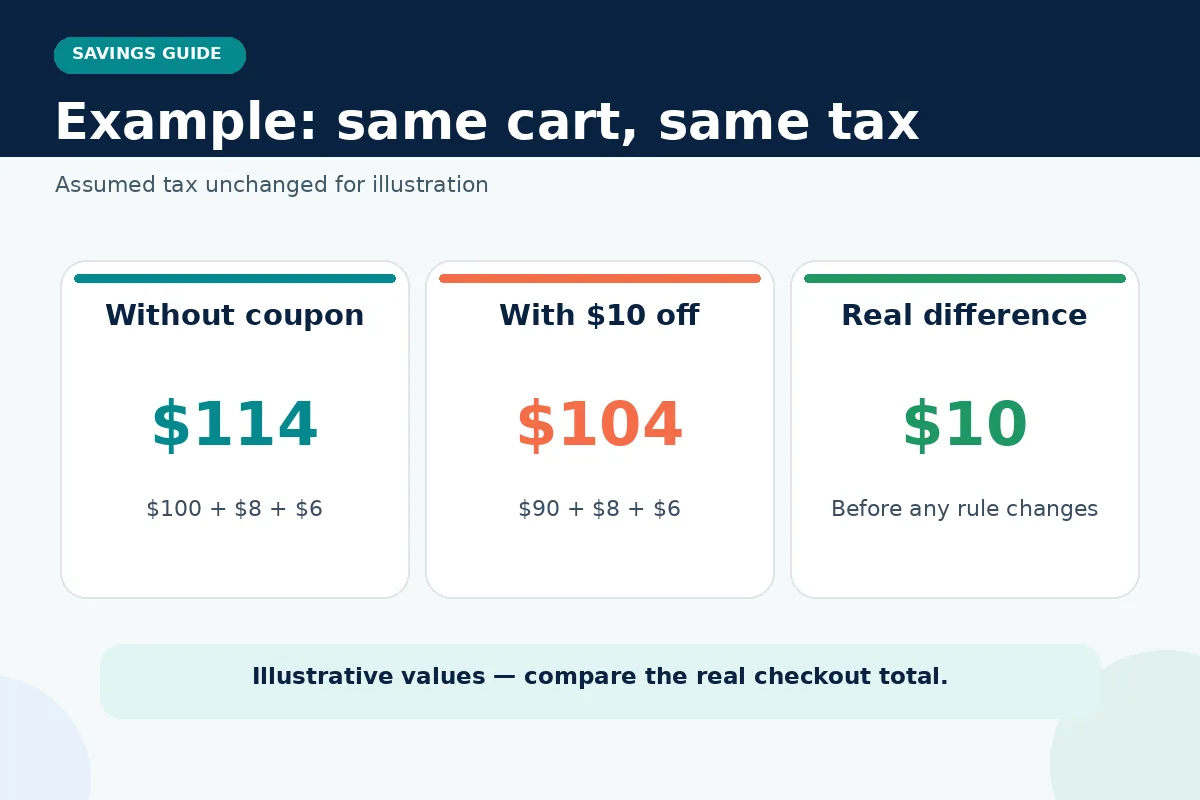
Imagine the following hypothetical cart, assuming the tax stays constant solely to simplify the illustration:
| Component | Without coupon | With $10-off coupon |
|---|---|---|
| Merchandise | $100 | $90 |
| Shipping | $8 | $8 |
| Assumed tax | $6 | $6 |
| Final total | $114 | $104 |
The real savings in this illustration are $114 − $104 = $10. No tax or shipping reduction was assumed. Actual taxes may change after a discount; do not use the illustrative $6 tax as a prediction of a real order.
Worked Example: Percentage Off Is Limited to One Product
Suppose a cart has a $50 qualifying item and an excluded $70 item. A hypothetical 20%-off coupon reduces the eligible item by $10, giving a new $110 merchandise subtotal. It would be wrong to take 20% off the full $120. Check whether shipping or tax also changes before reporting the final amount saved.
Some merchants advertise sitewide-looking discounts but exclude specific products or collections. Inspect the exact promotion rules and the discount line rather than applying a percentage to the wrong base.
Worked Example: A Minimum-Spend Coupon Costs More
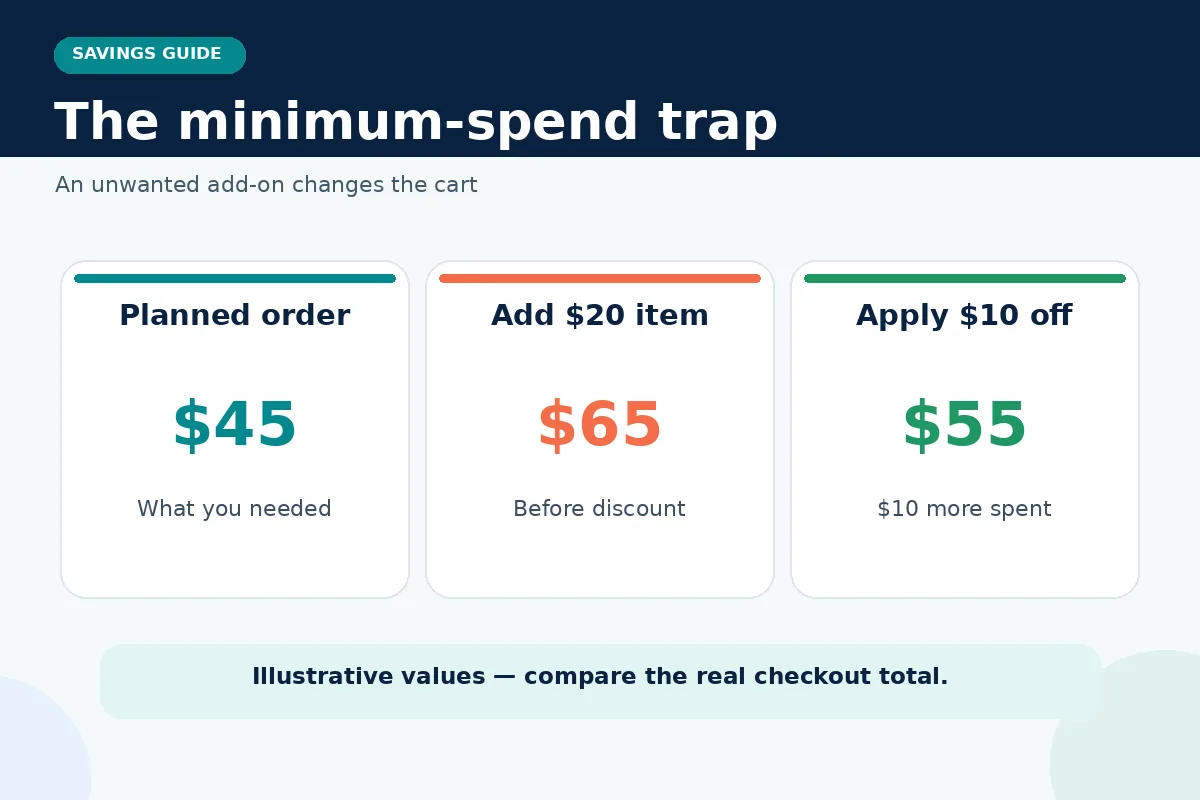
You wanted a $45 item. You see a hypothetical $10-off offer with a $60 minimum, and you add an unwanted $20 item. The cart subtotal rises to $65. After the $10 discount, your merchandise spending is $55—$10 more than the original $45 planned purchase.
The headline $10 discount did occur, but it did not lower the cost of your original shopping decision. This example assumes the added item qualifies and excludes other charges, which could make the comparison even less favorable.
How to Calculate Percentage and Dollar-Off Savings
For percentage-off discounts, multiply the qualifying subtotal by the percentage written as a decimal. An illustrative 15% discount on $80 of eligible merchandise is $12. For a fixed-dollar offer, the stated amount is the maximum nominal deduction if it meets the conditions; check any required minimum and exclusions.
For a shipping offer, compare the fee waived with the alternative merchandise savings. A $9 shipping waiver can outperform an $8 item discount, all else equal. These comparisons assume the retailer does not permit both offers to combine; if it does, calculate the checkout result for the valid combination.
What About Stacking Two Discounts?
Do not assume that two 10% coupons automatically produce 20% off or that they always apply sequentially. Retailers use different promotion classes and calculation rules. On Shopify, for example, permitted product discounts are applied before order discounts, and shipping discounts are applied afterward; its official combination documentation explains the supported scenarios.
Rather than estimating a universal stacking formula, compare the retailer’s actual discounted line items and the final amount due.
How to Keep a Quick Savings Comparison
- Use the same products, quantities, and shipping method in both carts.
- Record the no-coupon final total, including existing automatic savings.
- Confirm the coupon applies to your items and account.
- Record the final total after entering the code.
- Subtract and keep only a positive, meaningful difference.
If you are evaluating a competing retailer, make a second calculation for that retailer’s actual checkout rather than treating an advertised price as a final amount.
Frequently Asked Questions
Does a 20% coupon always save 20% of my cart?
No. It can apply only to eligible merchandise and may have a maximum discount or other restrictions.
Should I calculate savings before or after tax?
For what you truly pay, compare final totals including applicable taxes. Tax treatment varies with the transaction and jurisdiction.
Do free gifts count as cash savings?
Not necessarily. A gift can add value, but it does not automatically lower the amount you pay.
How can I compare coupons if the store allows only one?
Try each valid offer separately on the same cart and compare final amounts before payment.
Can a coupon be a bad deal even if the amount is deducted?
Yes. If it requires unneeded purchases, adds fees, or replaces a stronger promotion, the total spending can rise.
The Bottom Line
Real savings are the difference between comparable, complete checkout totals. Check which products qualify, include shipping and taxes, and avoid minimum-spend traps. A coupon matters only when it reduces what you would otherwise pay for the purchase you planned.