CouponF5 is an independent publisher. We may earn a commission when you purchase through our links, at no extra cost to you. Merchant terms apply.
In this guide
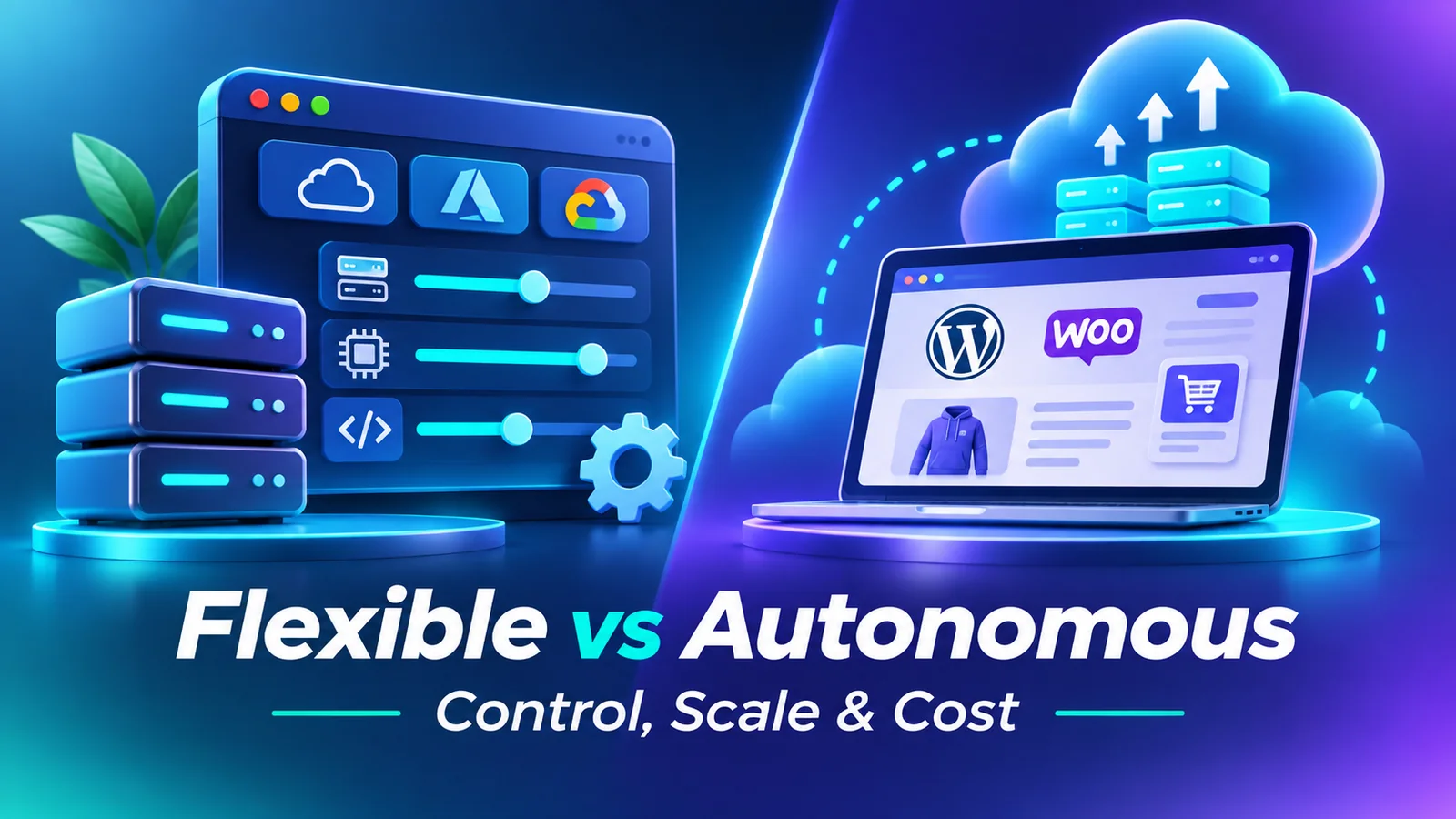
Choose Cloudways Flexible when control over your cloud provider, server resources and PHP application setup matters most. Choose Cloudways Autonomous when you operate WordPress or WooCommerce and want a more hands-off, automatically scaling hosting experience. Both are managed hosting products, but they differ in what you configure, how traffic is handled and which costs need watching.
This Cloudways Flexible vs Autonomous guide explains the trade-offs with practical examples for blogs, agencies and online stores. It also shows how to assess the limited-time Cloudways promotion without confusing a two-month discount with ongoing hosting expenses. Prices and product availability can change, so the final decision should use the plan details available when you sign up.
Cloudways Flexible vs Autonomous: Quick Comparison
| Factor | Flexible | Autonomous |
|---|---|---|
| Primary use | Customizable managed hosting for compatible PHP applications and sites | Managed WordPress and WooCommerce hosting built to autoscale |
| Infrastructure choice | Select supported cloud provider, region and server size | Platform manages more of the underlying scaling decisions |
| Resource changes | Resize or change server plans according to the provider’s capabilities | Autoscaling manages application capacity; plan allowances still apply |
| Billing | Usage-based server billing with related resource charges | Hourly application-plan billing, with quota or usage-based charges |
| Configuration work | More platform and server choices | Fewer infrastructure decisions for supported WordPress workloads |
| Good fit | Agencies, custom PHP apps and server-aware teams | WordPress stores and sites with variable traffic |
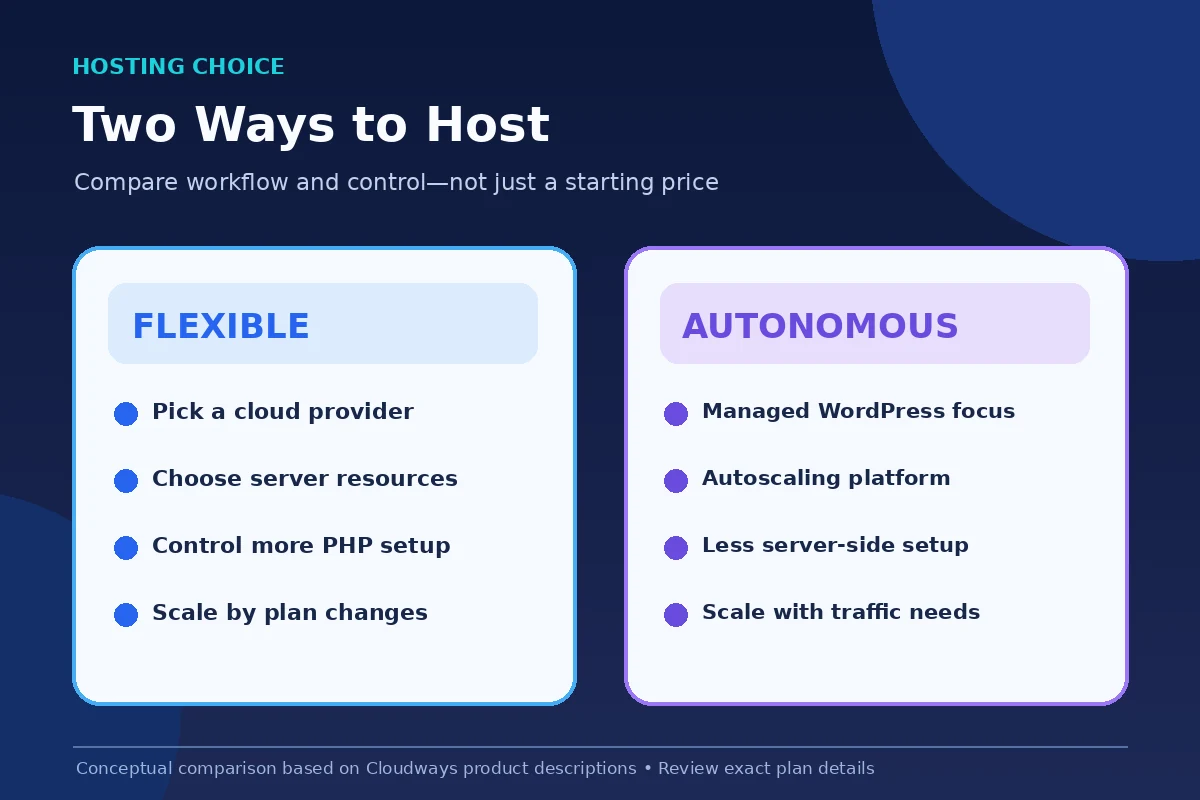
The key distinction is not that one product is simply “better.” Flexible provides more choice over the underlying environment. Autonomous shifts more of the application scaling and hosting infrastructure work onto the platform, within the boundaries of its supported workloads and plan terms.
What You Control With Cloudways Flexible
Flexible is Cloudways’ configurable managed-hosting environment. According to Cloudways’ feature descriptions, users can select from supported infrastructure providers, deploy compatible applications, work with Git, use SSH/SFTP and manage staging, cloning and resource changes.
That setup can work well for a development agency hosting several clients, especially when workloads have different requirements. For example, a PHP project may need a particular server size, data-center location or application setup. Flexible gives the team more influence over those choices without requiring them to build every piece of hosting automation from scratch.
However, “managed” is not “maintenance-free.” The website owner still needs to manage WordPress plugins, compatibility, site updates, user permissions and recovery procedures. Scaling decisions also require attention: moving to a larger server can increase resource costs even if a seasonal spike is temporary.
What Cloudways Autonomous Manages for You
Autonomous emphasizes a managed WordPress/WooCommerce environment with autoscaling. Cloudways documents a Kubernetes-based approach to increasing or decreasing application capacity when demand changes. That can appeal to teams that do not want to choose a server size whenever visitors fluctuate.
A WooCommerce store with intermittent campaigns is an obvious example to consider. Product launches and email promotions can produce short peaks in traffic. Infrastructure that adjusts resources may reduce the need for manual server-size changes. But autoscaling is not a promise of unlimited free traffic: Autonomous plans include quotas and may charge for eligible usage over limits. Cloudways’ Autonomous documentation lists visits, bandwidth, disk space and application allowances among the items to review.
Autonomous is also not a substitute for optimizing a poorly performing store. Plugins, database queries, images, external checkout services and cache behavior can affect the experience even when hosting capacity increases. Test your actual website workload rather than relying only on promotional speed statements.
Which Is Cheaper: Flexible or Autonomous?
There is no universal price winner because the products charge for different resources and support different operating models. Cloudways lists Flexible entry configurations starting around $11/month on selected providers; Autonomous has different plan rates and allowances. Those starting prices should not be compared as if they were matching virtual machines.
For Flexible, estimate the server’s billable operating time, capacity and any backup storage, paid add-ons or bandwidth charges. For Autonomous, estimate the application-plan hours, visits, data transfer, storage limits and possible autoscaling or overage charges. A single-site blog and a multi-store deployment need very different configurations.
A practical cost model is:
Flexible monthly cost = server usage + backups + transfer/add-ons as applicable.
Autonomous monthly cost = application-plan usage + any billable autoscaling or quota overages + extras.
Cloudways’ billing explanation is especially important here: stopped Flexible servers on selected providers can continue incurring charges while allocated resources remain, whereas Autonomous charges depend on active application time and the product’s overage rules. Account cleanup is part of cost management, not an afterthought.
How a Two-Month Cloudways Coupon Changes the Math
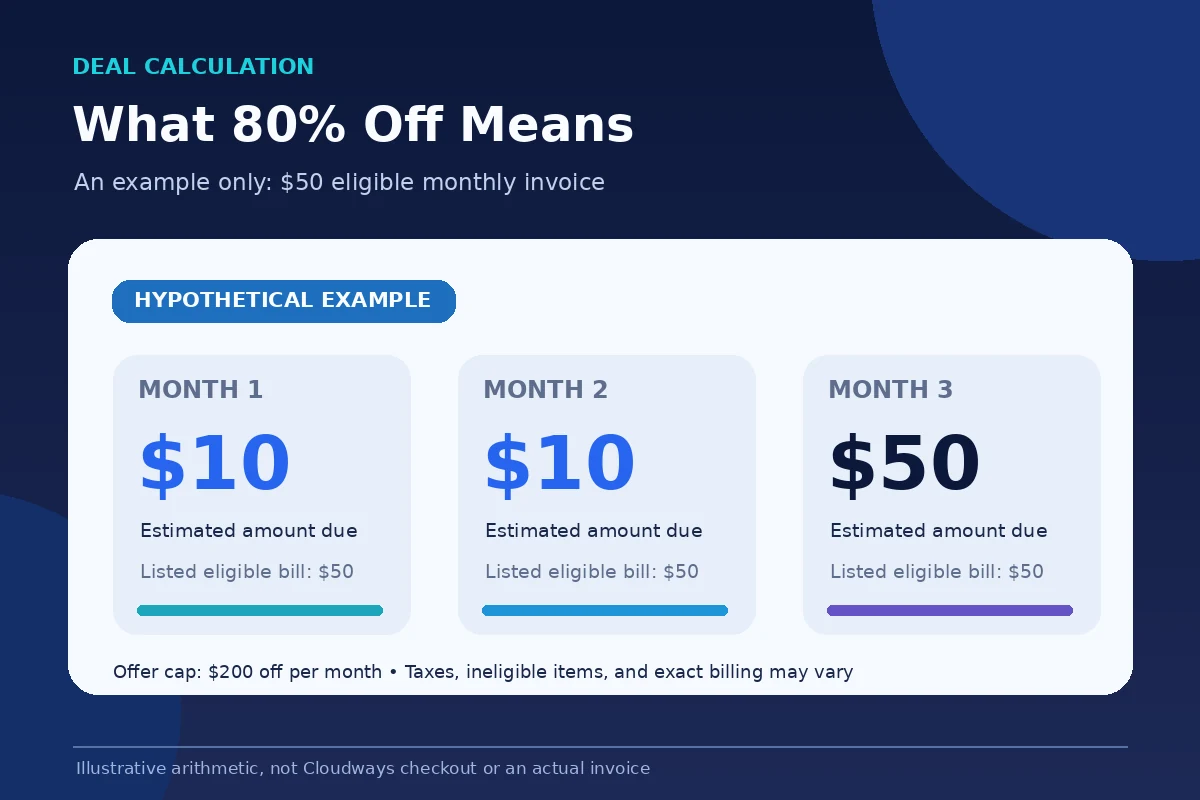
Cloudways’ official 2026 Black Friday/Cyber Monday campaign advertises code BFCM802 for new customers: 80% off eligible invoices in the first two months, subject to a maximum reduction of $200 in each month. The public campaign window is November 5 through December 4, 2026, and the merchant says the code must be entered during signup. Your account and purchases must satisfy its terms.
Consider a hypothetical eligible invoice of $50 per month, unchanged for three months and without taxes or excluded charges. Eighty percent of $50 is $40, so the illustrative amount due is $10 for each of the first two months. In month three, without a new promotion and with identical usage, the illustrative bill returns to $50. The three-month total would therefore be $70 rather than $150. This example demonstrates the arithmetic and is not an actual Cloudways plan price or tested invoice.
At larger usage levels, the campaign’s cap matters. If the calculated 80% reduction exceeds $200 for one month, the stated $200 monthly cap prevents a larger discount for that month. Verify how the merchant treats add-ons, timing, credits and any other exclusions at signup. The coupon does not automatically make a product suitable for your application.
Free Trials: Flexible and Autonomous Are Different
Cloudways’ more recently updated getting-started and billing guidance specifies a five-day Flexible free trial and a three-day Autonomous free trial, generally without requiring a credit card to start an eligible trial. Some older marketing or help pages still mention a three-day Flexible trial; the product-specific trial screen should be treated as the final offer for your account.
Trial time and promotional invoice discounts are separate concepts. The trial lets you assess deployment and workflows before committing. The BFCM discount, when eligible, applies under the campaign’s conditions to qualifying paid charges. You should not assume that a five-day trial extends the two discounted billing months or that a paid promotion begins on a particular date until the checkout and account display confirm it.
Choose By the Workload, Not the Biggest Feature List
A small WordPress blog or portfolio
If your traffic is fairly consistent and you are comfortable with some hosting configuration, Flexible can be a sensible starting point. Avoid purchasing unnecessary server resources only because a temporary coupon lowers the first invoice. For a simple single-site project, also compare traditional managed WordPress or shared hosting if that simpler arrangement fits your needs.
A WooCommerce store with traffic spikes
Autonomous deserves a closer look when traffic rises and falls during campaigns and you want infrastructure to adjust automatically. Check site and visit limits, bandwidth, required PHP/WordPress support and any paid overages. A store with high order value should also test carts, payments and caching behavior during migration.
An agency managing multiple PHP applications
Flexible can make more sense when projects require different environments, Git-based deployment workflows, server access or provider selection. Plan resource isolation, staging and separate billing responsibilities for client sites. Managing many websites on one server is not automatically the best reliability choice just because it reduces the number of base plans.
A growing content site with an uncertain future
If you cannot yet predict traffic, identify what would be easy to upgrade, what would require migration and how usage-based charges are calculated. A short trial can help evaluate the dashboard and compatibility, but it cannot substitute for a real production capacity plan.
Before Migrating a WordPress Site to Cloudways
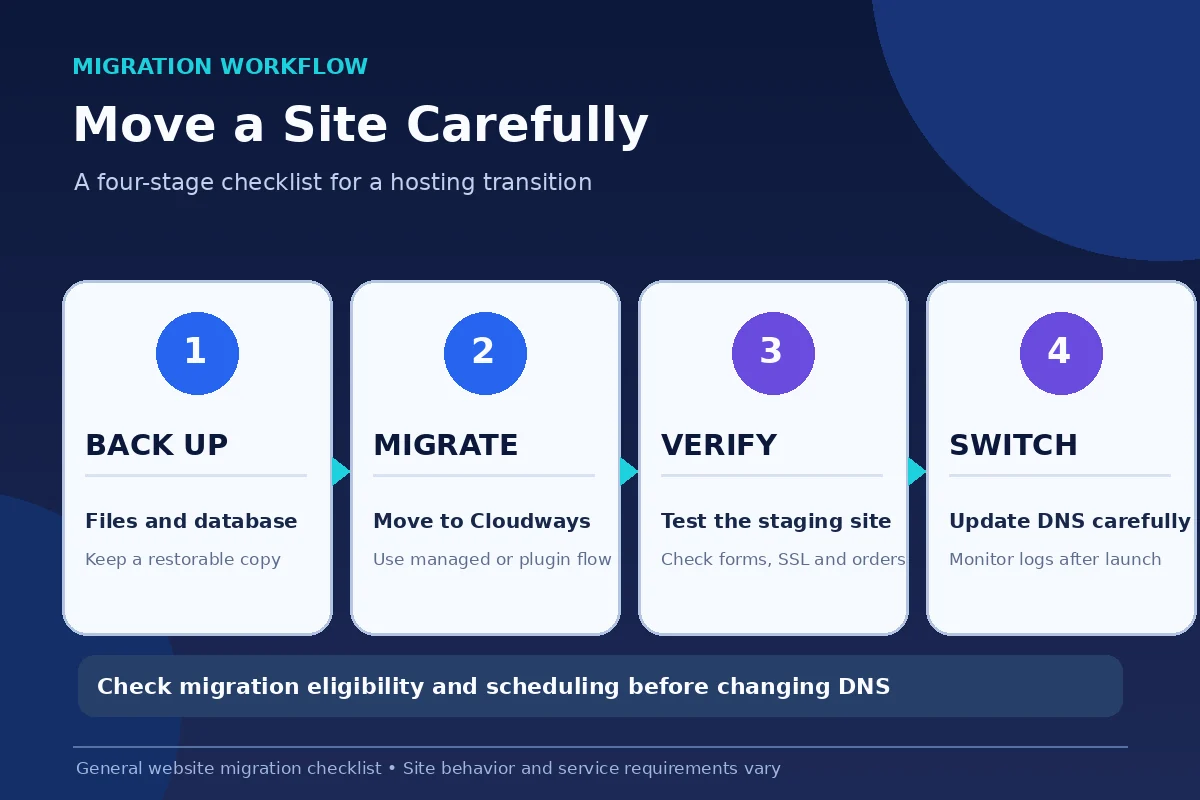
Whether you choose Flexible or Autonomous, migration can affect email, DNS, forms, checkout flows and search visibility if handled carelessly. The 2026 campaign advertises expanded free managed migrations under merchant-specific conditions. WordPress/WooCommerce migration eligibility and the request deadline for other PHP applications should be checked on Cloudways’ official offer pages.
- Back up the source site. Keep a restorable copy of files and database records before any changes.
- Choose the destination product. Confirm PHP and WordPress compatibility, plugin needs, storage and plan limits.
- Prepare and migrate. Use the eligible managed service or a supported migration tool, and keep the original hosting active until tests pass.
- Test before switching DNS. Review pages, user accounts, forms, SSL, WooCommerce checkout, background jobs and redirects on staging.
- Switch carefully and monitor. Plan DNS propagation, watch errors and confirm backups and monitoring after launch.
Questions to Ask Before Signing Up
- What does “managed” cover? Separate infrastructure operations from your responsibility for application code, plugins and account security.
- Will I need multiple websites? Check each product’s application and site quotas, rather than assuming a common unlimited-site rule.
- What causes extra charges? Review backup storage, bandwidth, visits, app scaling, premium add-ons and idle resources.
- Does the trial require an upgrade? Read the exact current duration and payment rules on the signup screen.
- Is the current coupon valid for my account? Check customer eligibility, deadline, offer cap and whether other discounts can stack.
- Can I migrate safely? Establish rollback steps, test orders and verify who performs the migration.
Bottom Line: Flexible or Autonomous?
Flexible is the stronger choice for infrastructure choice and configurable PHP hosting; Autonomous is the stronger starting point for WordPress/WooCommerce teams that value managed autoscaling. Compare the actual usage and support features for your site, not just the headline monthly rate. Use a free trial to assess fit, calculate the first three months with and without a promotional coupon, and ensure the standard price still makes sense before committing.
Research methodology: Based on Cloudways’ official product pages, billing help, trial documentation and 2026 BFCM offer materials checked November 13, 2026. Numerical coupon calculations are hypothetical; no live checkout or hosting performance testing was completed. Cloudways logos and trademarks are owned by their respective holders.