CouponF5 is an independent publisher. We may earn a commission when you purchase through our links, at no extra cost to you. Merchant terms apply.

In this guide
Hostinger
Hostinger Cloud Startup Web Hosting — 48-Month Plan
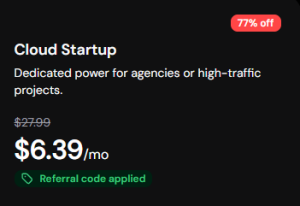
48-month prepaid offer: $7.99/mo equivalent (regular $27.99/mo equivalent), $383.52 due upfront; renews at $25.99/mo equivalent for the same term. 100 GB NVMe, Unlimited (subject…
Hostinger web hosting offers three prominently featured plans—Premium, Unlimited, and Cloud Startup—but the cheapest introductory rate is not necessarily the best long-term deal. A new website owner should compare the number of sites allowed, storage type and capacity, backup frequency, email and domain benefits, and the full cost of the selected billing term. Hostinger’s website also shows that renewal pricing can be significantly higher than the introductory price. This guide uses published merchant information and explains how to decide which tier fits your real workload without treating promotional figures as permanent prices.
What are the main Hostinger web hosting plans?
On the official Hostinger web hosting page, Premium targets personal sites, creators, and smaller brands. Unlimited is positioned for growing projects that need more flexibility, while Cloud Startup targets larger sites and more demanding online stores. The word “Unlimited” is a plan name and marketing designation: Hostinger explicitly subjects unlimited allowances to its fair usage policy. That qualification matters if you plan to host a large number of resource-intensive sites rather than ordinary small websites.
Premium vs. Unlimited vs. Cloud Startup: the meaningful differences
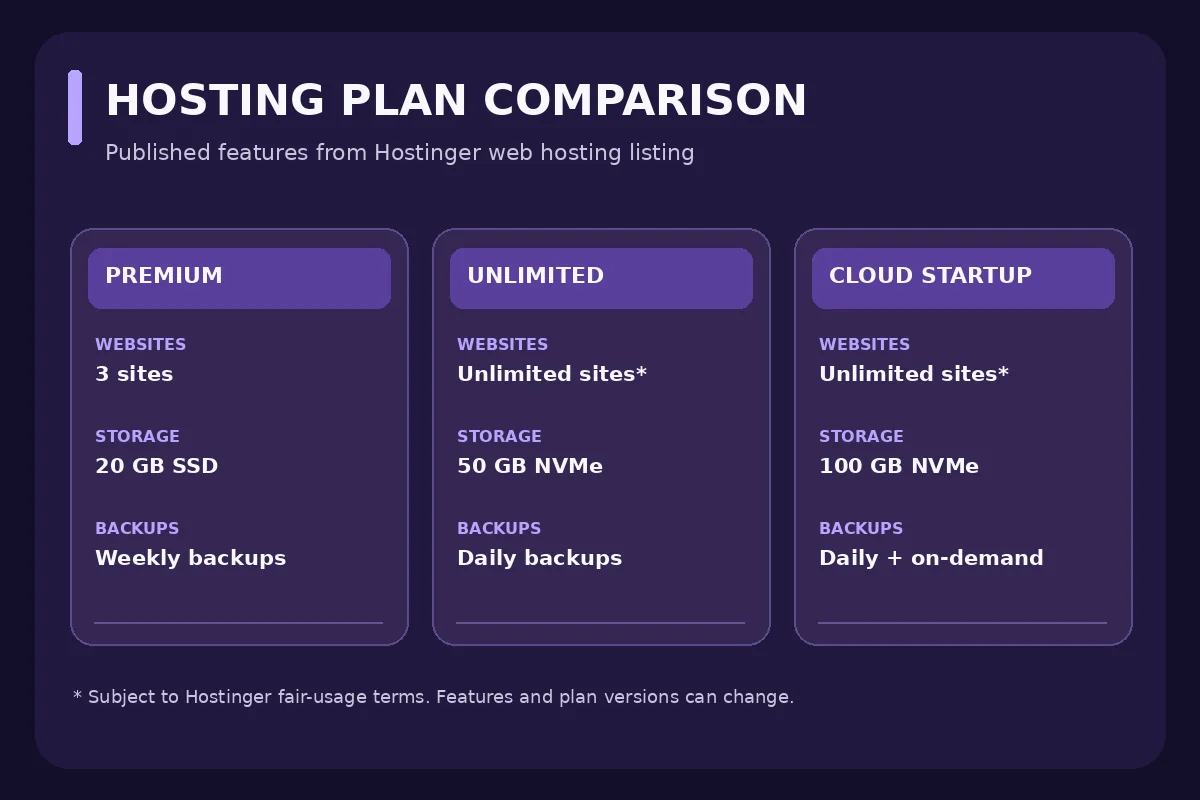
Premium supports three websites, lists 20GB SSD storage, and provides weekly backups. It includes an eligible domain free for the first year and two mailboxes per website free for the first year. This may be a practical starting point for a portfolio, small blog, or uncomplicated business presence. Its limits should be evaluated against future media storage and your expected number of independent projects.
Unlimited adds 50GB NVMe storage, daily backups with a restore feature, and a broader allowance for websites and mailboxes under fair-use terms. It is attractive if you manage multiple small-to-medium sites, value daily restore points, or expect your content library to expand. Paying more solely because the label says “Unlimited” is not a good reason to upgrade; compare your actual storage, backup, and account-usage needs.
Cloud Startup lists 100GB NVMe storage, daily and on-demand backups, and a higher-capacity cloud-oriented environment. The plan may appeal to agencies and online businesses whose workload is too substantial for the other tiers. However, its higher price does not guarantee a specific PageSpeed score, sales conversion rate, or traffic threshold. The performance you experience will depend on website optimization, plugins, caching, visitor patterns, and applicable account limits.
How much does Hostinger web hosting cost?
Pricing is the area where shoppers should be most careful. One recently indexed official US web-hosting offer displays a 48-month prepaid term at $2.49 per month equivalent for Premium, $3.49 for Unlimited, and $7.99 for Cloud Startup. Those examples produce upfront totals of $119.52, $167.52, and $383.52, respectively. The same merchant listing shows crossed-out comparison rates of $12.19, $18.99, and $27.99 per month equivalent. These are merchant-advertised comparisons for a given offer, not independently audited market reference prices.
The merchant has also published other official-page versions with different introductory prices, including a later or older capture of the same URL that displays $2.99 for Premium and $3.79 for Unlimited. Referral links, promotions, location, and the time a page is accessed can influence the price displayed. Consequently, no price in this article is a guaranteed live checkout quote; use the exact currently selected term and checkout screen before paying.
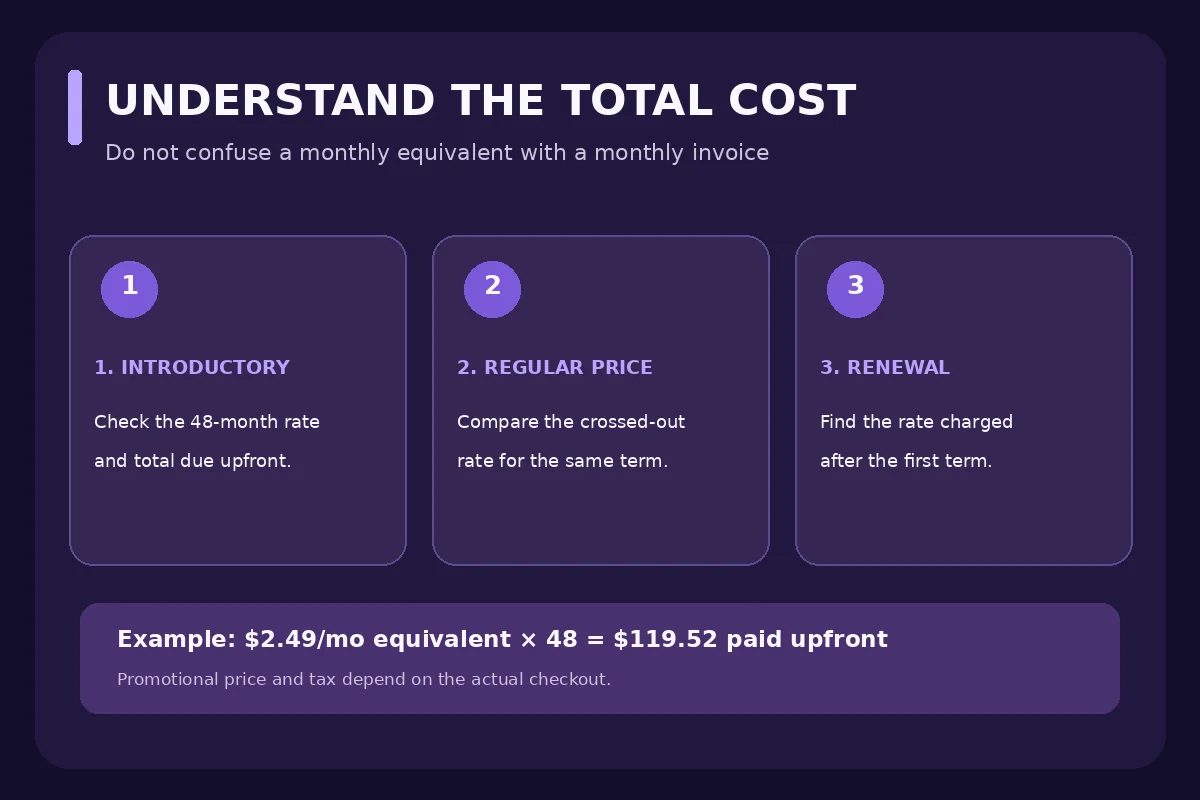
Important: “$2.49/mo for 48 months” means a monthly equivalent calculated from a prepaid four-year purchase, not a recurring invoice of $2.49 each month. An offer that appears inexpensive on a monthly basis can still require more than $100 up front. Some added services, taxes, and future domain or email renewals may change the total cost. If committing for four years is undesirable, compare shorter available terms instead of assuming the headline discount applies to monthly billing.
Regular price versus renewal price
Three numbers should be kept separate: the introductory price charged for the initial selected term, the crossed-out regular comparison price displayed as a reference, and the renewal price advertised for the next billing cycle. For the 48-month examples above, Hostinger shows equivalent renewal rates of $10.99/mo for Premium, $16.99/mo for Unlimited, and $25.99/mo for Cloud Startup, with the same term cited in the product listing. Those rates are not the initial discount and should not be confused with the crossed-out comparison figures.
If you plan to keep your website for years, calculate the complete cost over at least one renewal period. For instance, Premium’s advertised $119.52 initial 48-month payment is much lower than a subsequent four-year term at the stated $10.99/mo equivalent. However, actual renewal prices can change before a later renewal date. Treat the current posted renewal as a planning estimate, retain the checkout confirmation, and review renewal notices and cancellation settings.
Are the free domain, mailboxes, and AI credits really free?
Hostinger’s plan table advertises a domain registration free for the first year on eligible plans. This is not a promise of a permanently free domain: future renewal fees and eligible domain extensions depend on the domain rules at checkout. Likewise, the plan listing describes selected email mailbox allowances as free for the first year, so inspect what happens after that period if business email is important to you.
Promotional AI credits are another benefit to evaluate carefully. A Black Friday listing displayed doubled credit allowances—500 for Premium, 1,000 for Unlimited, and 2,000 for Cloud Startup—but these are service-feature credits, not cash you can withdraw or use to cover your hosting invoice. The included features and credit rules can change with the campaign, tool, or plan version. Verify the active offer if AI website creation is central to your purchase decision.
Which plan is best for WordPress and an online store?
All three plan descriptions reference WordPress and website-building tools. For a lean WordPress brochure site, Premium may be sufficient, especially if you maintain optimized images and basic caching. Unlimited becomes more attractive when daily backups, extra websites, and additional NVMe storage are worth the difference. Cloud Startup deserves comparison for more demanding ecommerce projects or agencies, but the buyer should confirm specific resource allocations rather than treating the product name as evidence that it will always perform better.
For a WooCommerce shop, account for product images, plugins, order database growth, scheduled tasks, and traffic during promotions. A plan’s nominal storage figure is only one constraint; CPU, memory, PHP worker capacity, inodes, and resource limits may also matter. Hostinger’s hosting parameters documentation says exact limits can depend on the plan version and can be inspected in the account. This makes an actual workload estimate more useful than copying a generic “supports X visitors” claim.
What about backups, performance, and support?
Hostinger promotes CDN features, SSL certificates, malware scanning, and support, alongside the backup differences in its plan table. These are useful buying criteria, but they do not prove a certain uptime level or real-world website speed. If your business relies on uptime, consult the relevant service-level terms and establish your own external monitoring. For important sites, maintain independent backup copies and test restoring them; a provider’s automatic backup schedule is not a substitute for an appropriate recovery plan.
Daily backups versus weekly backups can be especially consequential for frequently updated websites. A static brochure page may change rarely, while an ecommerce store can create orders and customer records every day. Even on a plan with daily backups, check what is captured, how long copies are retained, whether a restore is self-service, and what data may be lost if you restore an older snapshot.
When should you choose cloud hosting or a VPS instead?
Cloud Startup is the higher-capacity option in this web-hosting selection, but it remains a managed product with plan-specific limits. A VPS is a different purchase decision: it can provide greater operating-system-level control and responsibility for patches, server configuration, and security. If all you need is a straightforward WordPress site with a convenient control panel, paying for raw server control may add needless administration. If your app requires a custom system stack, unusual background services, or specialized software, confirm those requirements before committing to an ordinary web-hosting tier.
How to choose Hostinger web hosting without overbuying
- List your actual sites: Count the domains, independent installs, staging projects, and email addresses you plan to use.
- Estimate growth: Check media storage, backups, databases, and resource usage rather than picking the largest plan automatically.
- Pick a realistic term: Compare a 48-month introductory promotion with shorter commitments and your confidence in the project.
- Check all three prices: Write down the discounted first invoice, crossed-out reference price, and the future renewal rate for the same term.
- Audit free benefits: Find when domain and email promotional periods end and what renewals will cost.
- Verify limits and support: Review the fair-usage policy, backup options, performance limits, and cancellation/refund terms applicable to the selected plan.
Bottom line: which Hostinger web hosting plan offers the best fit?
For a small website with limited storage needs, Premium is a sensible first comparison. Unlimited is attractive when you have several sites or value daily backups and more NVMe space. Cloud Startup is worth considering for larger workloads that justify its higher initial and renewal costs. There is no universal winner: the right plan is the least expensive one that reliably accommodates your actual requirements with enough headroom.
Use the official Hostinger web hosting page to confirm plan version, offer, billing period, initial invoice, and renewal quote before purchasing. This is a research-based buying guide, not a hands-on hosting speed test, completed checkout, or guaranteed price quotation.
Hostinger
Hostinger Cloud Startup Web Hosting — 48-Month Plan
48-month prepaid offer: $7.99/mo equivalent (regular $27.99/mo equivalent), $383.52 due upfront; renews at $25.99/mo equivalent for the same term. 100 GB NVMe, Unlimited (subject…