A closer look
About Cloudways
Cloudways is a managed cloud-hosting platform for WordPress, WooCommerce, PHP applications and website projects that need a more configurable hosting environment. Rather than offering only one hosting approach, Cloudways lets users choose Flexible for greater infrastructure control or Autonomous for managed WordPress hosting with autoscaling. The best value depends on which product supports your site, how resources are billed, and what happens after any introductory promotion ends.
Current Cloudways Coupons and Deals
Cloudways is advertising a Black Friday/Cyber Monday 2026 promotion of 80% off eligible invoices for the first two months for new customers who sign up using code BFCM802 during November 5–December 4, 2026. The discount is capped at $200 per month (up to $400 across two months). According to the merchant, the campaign covers qualifying Cloudways products and add-ons, including Flexible and Autonomous. It also advertises unlimited managed migrations for eligible WordPress and WooCommerce projects, subject to the published timing and eligibility conditions. Enter the code as instructed during registration; it is not automatically applied to every order.
Important: This is a dated promotion, not a lifetime discount. Your invoice returns to applicable standard prices after the promotional period. An existing account, an ineligible registration or a conflicting promotion may not qualify. CouponF5 has checked the merchant’s public information but has not performed a successful live redemption. Read the official Cloudways promo page and the campaign announcement before committing.
Cloudways Hosting Products Explained
Cloudways Flexible
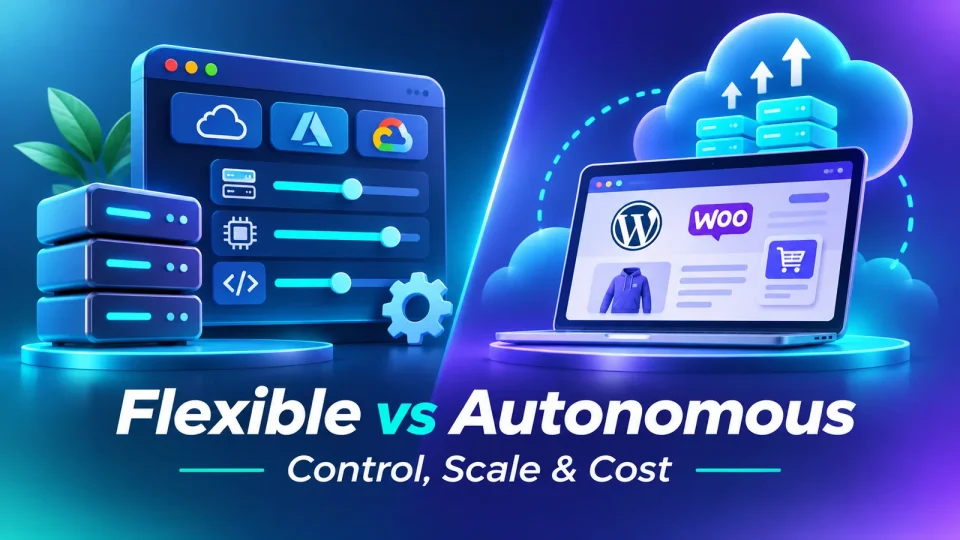
Flexible is the customizable managed-hosting option. You can choose among supported cloud infrastructure providers, select server capacity and region, and deploy compatible applications such as WordPress, WooCommerce and other PHP projects. Its dashboard provides tools for staging, backups, cloning, SSH/SFTP access and server scaling. You still need to plan application maintenance and review how many applications you place on a server.
Cloudways Autonomous
Autonomous focuses on managed WordPress and WooCommerce workloads and is designed to scale application infrastructure in response to changing traffic. Its billing is associated with active app plans and usage allowances, including visit, bandwidth and storage considerations. It can be a better fit for an ecommerce team that wants fewer infrastructure decisions, but specific plans and overage rules need review.
Other tools and add-ons
Cloudways also markets AI assistance, security, performance and website-management features, and additional managed hosting products. Some add-ons cost extra; do not assume every feature on the marketing site is included with the entry hosting price. Check the particular product’s current feature table.
What Does Cloudways Cost?
Cloudways publicly advertises entry-level Flexible hosting around $11 per month for selected configurations, while certain Autonomous plans have a different price and resource model. The actual bill can vary with cloud provider, server size, traffic, applications, migration services and paid extras. Flexible uses pay-as-you-go server billing, with monthly invoices based on usage. Autonomous uses per-application hourly billing subject to plan allowances and possible overages. These models should not be compared by one headline number alone.
For Flexible users, review your server’s operating time, backup storage, network transfer and additional services. Stopping a DigitalOcean, Vultr or Linode server within Flexible does not necessarily stop billing while resources remain allocated; check Cloudways’ billing guidance before treating a stopped server as deleted. For Autonomous, read the plan’s included visits, bandwidth, storage and autoscaling charge rules.
Does Cloudways Have a Free Trial?
Cloudways currently documents a five-day free trial for Flexible and a three-day free trial for Autonomous, with no credit card required to begin an eligible trial. Trials are temporary, not permanent free hosting. Once you upgrade, payment verification and the chosen paid plan’s billing terms apply. Review the product-specific onboarding steps and whether a preexisting payment method changes Autonomous trial upgrade behavior.
Who Should Consider Cloudways?
Consider Flexible if: You want to choose an infrastructure provider and server size, manage multiple PHP/WordPress projects, use staging and SSH/SFTP workflows, or have an agency team familiar with server resources. It gives you more knobs to adjust, although this also means making more configuration choices.
Consider Autonomous if: You mainly run WordPress or WooCommerce, anticipate varying demand and prioritize managed autoscaling over infrastructure-provider selection. Be sure that its plan limits and overage policy fit your traffic and storage needs.
Compare other hosting models if: You need a low-cost, single-site shared-hosting package, a specialized non-PHP runtime not supported by your selected product, or full root control of an unmanaged virtual machine. Cloudways is managed hosting, not identical to directly renting and administering a cloud VM.
How to Evaluate a Cloudways Offer
- Decide whether your application fits Flexible or Autonomous before comparing discounts.
- Check the current regular price for the exact product, provider and resource allocation.
- Confirm trial eligibility and the date charges begin if you upgrade.
- Use the merchant-published coupon code only if your account and product qualify.
- Estimate month three and later charges; a two-month promotion does not reduce ongoing resource usage permanently.
- Review backup, bandwidth, paid add-ons and migration requirements before finalizing.
Migration, Support and Security Considerations
Cloudways provides managed migration options and a WordPress migration plugin, but the number of free expert-led migrations depends on the current promotion and application type. Back up your site, test on staging, confirm SSL and forms, and plan DNS changes before switching live traffic. Cloudways lists support and performance tools, but you remain responsible for the code, configuration and privacy practices of your website. Never assume that migration will have zero downtime for every site.
Editorial Notes
Prices, trial windows and campaign conditions were checked against Cloudways’ public pages on November 13, 2026, and can change. Hypothetical calculations are examples, not real checkout results. CouponF5 independently describes publicly available information; Cloudways’ trademarks remain the property of their owner, and Cloudways has not been represented as endorsing this site.
Helpful information
How to apply Cloudways coupon codes
- Choose a Cloudways offer and read its conditions.
- Copy the code if one is provided, then visit Cloudways.
- Add eligible items and apply the code at checkout where available.
- Check the final total before paying.
How We Review Offers
We review the available offer information, including stated conditions and expiry details where provided. Offers can change, and a code may not apply to every order. Always check the merchant’s terms and final checkout total.
Affiliate Disclosure
CouponF5 is an independent publisher. We may earn a commission when you purchase through our links, at no extra cost to you. Merchant terms apply.
Cloudways Questions & Answers
Where can I find Cloudways coupons and promo codes?
Browse the Cloudways offers listed on CouponF5, then check the official store website for additional promotions. Compare the conditions and confirm the final price before ordering.
Will Cloudways discounts apply automatically at checkout?
It depends on the offer. Some deals apply automatically through the offer link, while others require a coupon code. Review the offer details and check that the discount appears before paying.
How do I apply a Cloudways coupon code?
Select Get Code to copy the code and open the store. Add eligible items to your cart, enter the code in the promo or discount field at checkout, and apply it. Confirm the discount before completing your purchase. For offers without a code, select Get Deal and follow the merchant’s instructions.
Which Cloudways offer should I choose?
Choose an offer that applies to your purchase and gives you the best final total. Compare minimum spending requirements, product exclusions, shipping costs, and customer eligibility rather than looking only at the discount percentage.
How often does Cloudways release new coupons?
There is no guaranteed schedule. Promotions may change during seasonal sales, product launches, or other events. Check the current listings and the official store website before shopping.
Why isn’t my Cloudways coupon code working?
Check that you entered the code correctly and that it has not expired. Your order may need to meet a minimum spend, include eligible products, or qualify for a particular customer or region restriction. Remove another applied code if necessary and review the merchant’s terms.
Can I combine multiple Cloudways coupon codes?
Combining codes depends on the merchant’s rules and the conditions of each promotion. Do not assume that multiple codes, sale prices, or other discounts can be used together. Check the terms and confirm which savings appear at checkout.
Are Cloudways offers limited to new customers?
Some offers may be restricted to first-time customers, while others may be available to returning shoppers. Check each offer for account, subscription, location, or purchase requirements before using it.
What if no Cloudways coupon codes are available?
You can check the official store for sale items, automatic discounts, bundles, or newsletter offers when available. A deal may provide savings without requiring a code. Compare the final total and avoid buying extra items solely to qualify for a promotion.