CouponF5 is an independent publisher. We may earn a commission when you purchase through our links, at no extra cost to you. Merchant terms apply.
In this guide
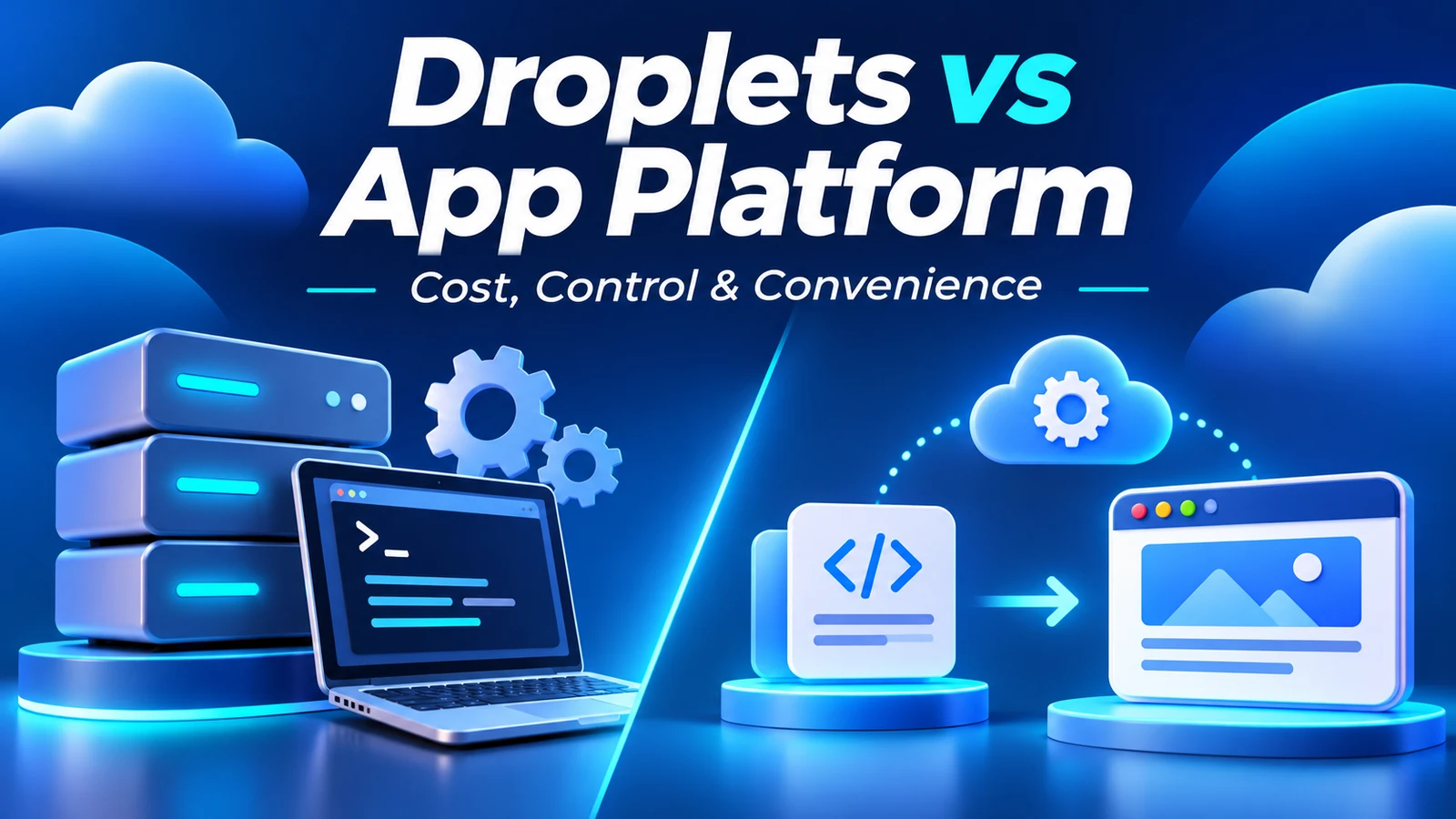
For a small web app, choose DigitalOcean Droplets when you need server-level control and can manage a virtual machine; choose App Platform when automatic build and deployment workflows and reduced infrastructure administration matter more. Both can host applications, but their prices, maintenance obligations, and included resources are different. The cheapest advertised plan is not automatically the lowest-cost fit for your project.
This guide compares the two DigitalOcean products using their publicly listed November 2026 pricing, a realistic billing checklist, and workload-based recommendations. It does not claim to benchmark servers or to predict your actual bill.
Droplets vs App Platform at a Glance
| Decision point | Droplets | App Platform |
|---|---|---|
| What you buy | A cloud virtual machine | A managed app deployment and runtime service |
| OS and server maintenance | You administer and update the VM | The platform handles the underlying infrastructure |
| Deployment | You configure your pipeline, server and runtime | Deploy through supported repository or container workflows |
| System-level customization | Broad OS-level control | Bounded by the platform’s supported runtime and features |
| Billing model | Compute usage and selected supporting services | App components, transfer, databases and selected extras |
| Best starting point | Custom servers and hands-on operations | Teams prioritizing managed deployment |
The products are not identical containers for identical workloads. App Platform automates infrastructure tasks, while a Droplet gives you direct access to a server you manage. That difference can outweigh a small base-price gap.
How Much Do Basic Droplets Cost?
DigitalOcean’s official Droplet pricing page lists a Basic shared-CPU Droplet configuration with 512 MiB RAM, one vCPU, 10 GiB SSD and a $4/month cap. It also lists a 1 GiB / one-vCPU Basic configuration at $6/month, with a different bundled storage and transfer allowance. Pricing and available configurations should be checked again before purchase.
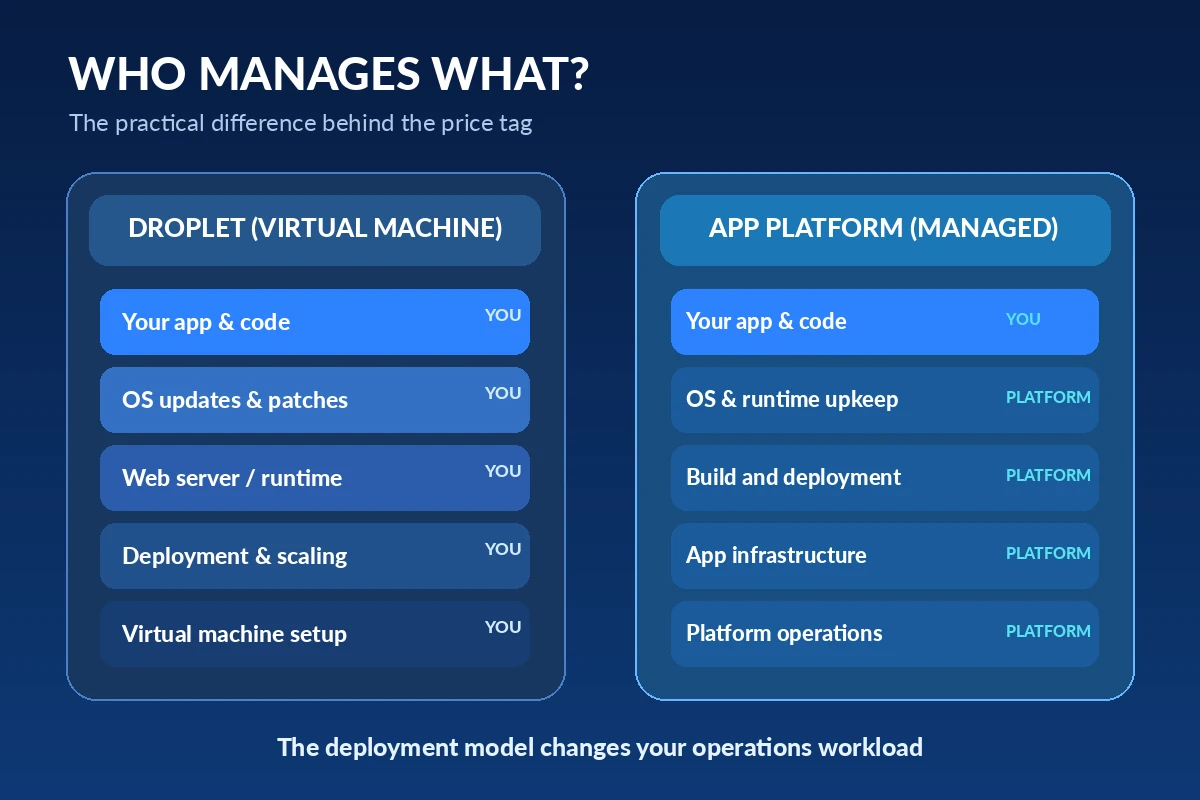
These base amounts represent the virtual machine, not a complete fully managed application stack. On a Droplet, you normally handle operating-system updates, web-server setup, access controls, deployment, routine monitoring, and your own application maintenance. If you need managed databases, extra block storage or backup services, factor those charges into the project budget.
DigitalOcean says its eligible bundled Droplets use per-second billing with a minimum charge, subject to a monthly cap. Billing behavior differs by product and instance generation, so review the exact plan instead of assuming every resource follows the same model.
How Much Does App Platform Cost?
On DigitalOcean’s App Platform pricing page, eligible static websites can use a free tier, while paid container components start at $5/month for a specified fixed shared-CPU instance. The free tier is intended for qualifying static applications; a dynamic backend, worker or database may require paid resources. The listed $5 paid option has its own memory, compute and transfer limits and is not equivalent to every Droplet configuration.
App Platform manages the application infrastructure, automates builds and deployment through supported workflows, and can simplify routine operating-system maintenance. You remain responsible for your application’s code, application security, data handling, and testing.
A single small component is one cost scenario. If your app needs multiple services, background jobs, databases, extra bandwidth, or special networking features, the final bill can exceed the starting component price. App Platform’s published price table explicitly lists separate charges for some of these add-ons.
The Real Comparison: Monthly Total, Not Entry Price
For a meaningful comparison, start with the same functional requirements: an app that accepts requests, persists data as needed, serves the expected traffic, and meets your availability goals. Then add the resources needed to deliver it on each platform.
Droplet estimate = VM compute + paid storage and backups + database or network services + any applicable overages.
App Platform estimate = paid app instances and components + database and other paid features + usage overages.
Here’s a simple numerical illustration: $6/month for a particular Basic Droplet is $72 over 12 months if that full monthly cap applies every month and no extras are purchased. A $5/month App Platform paid component would be $60 across the same 12 months under the same simplified assumption. The $12 difference does not establish that App Platform is cheaper for the same application. The two configurations may have different RAM, bandwidth, storage, required supporting components, and labor costs.
The correct comparison includes the effort to operate the system. If you already have automation to maintain a VM, self-management may be efficient. If your team has limited operations time, infrastructure automation can be valuable even when the hosting bill is larger.
Deployment and Maintenance: Where the Work Goes
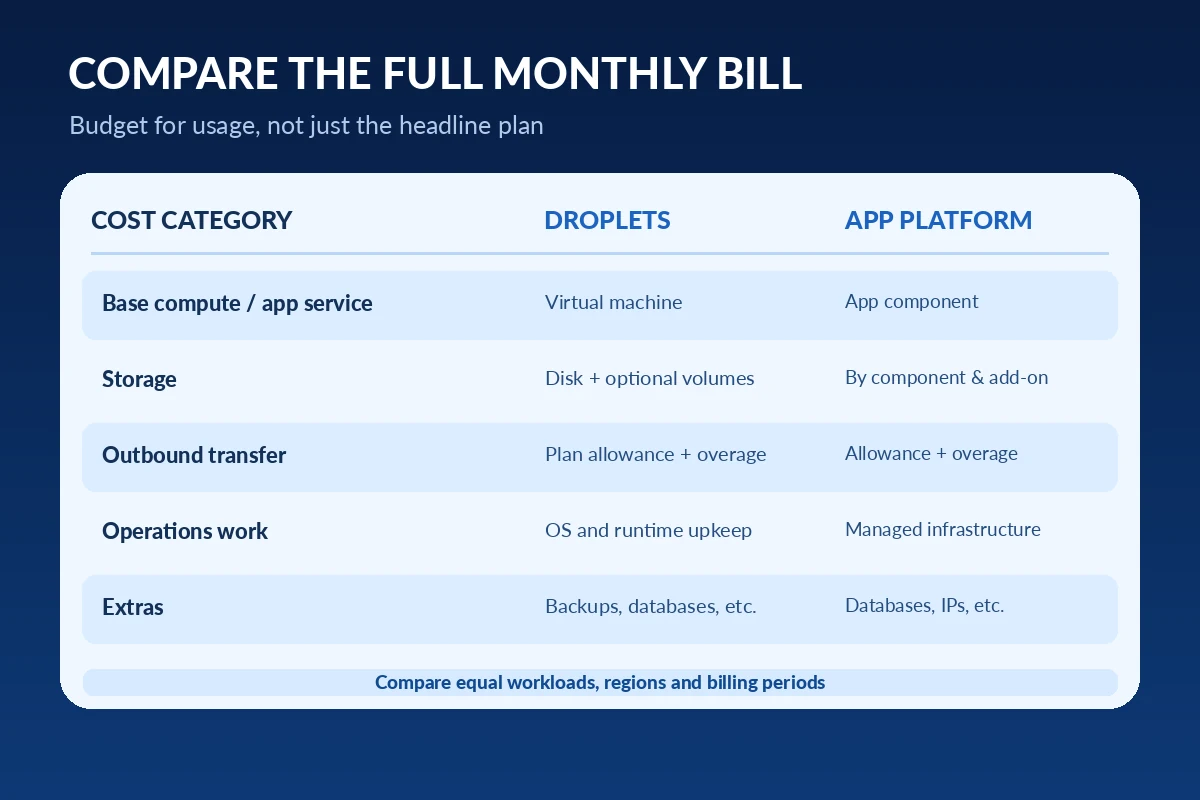
With Droplets, you choose an operating system image and install or configure the runtime you need. This provides flexibility for custom server dependencies, nonstandard deployment patterns, and workloads that need system-level access. It also means you need a plan for patching, firewall rules, authentication, log collection and backup recovery.
With App Platform, the supported source or container workflow is the center of the deployment experience. The platform builds or deploys compatible components and handles more of the underlying hosting environment. However, an application can still require environment variables, database schema changes, logging and monitoring, security review, and scale planning. Managed infrastructure does not mean zero application operations.
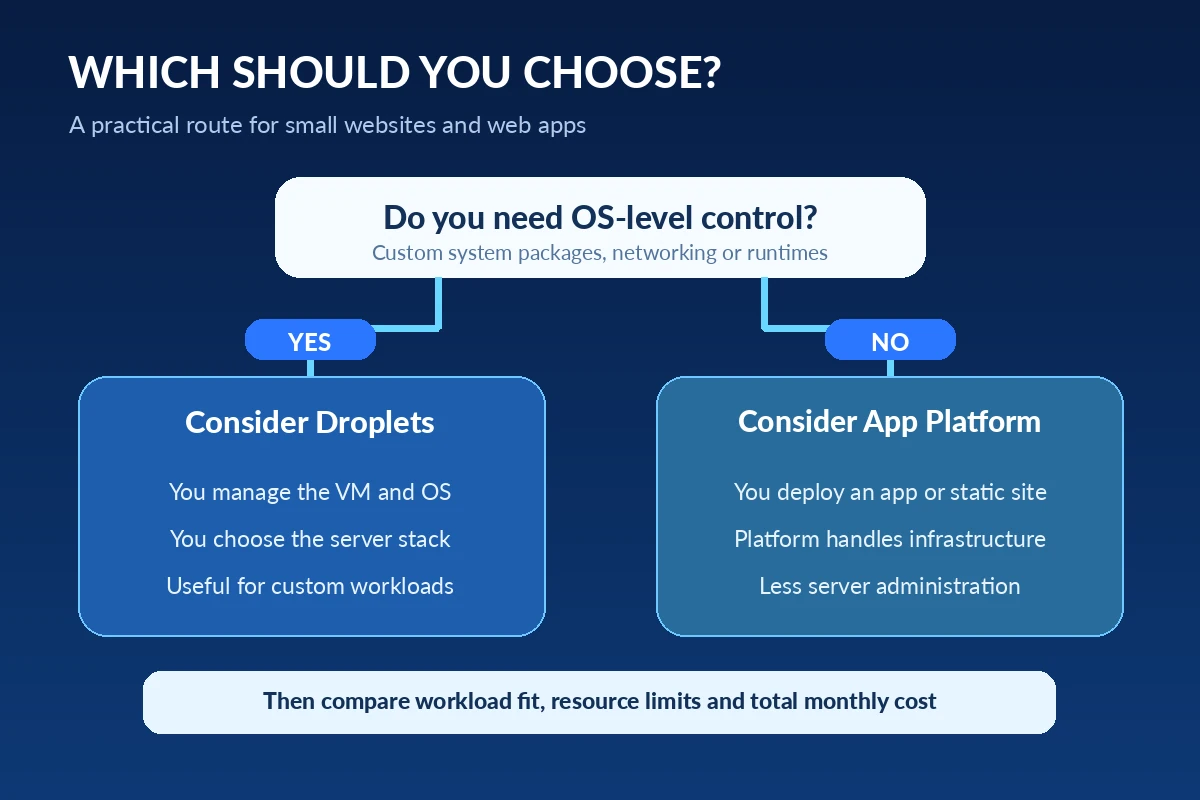
A useful decision question is: Does this project need root-level access, or does it merely need a reliable place to run a supported application? If the latter is true, App Platform deserves a closer look.
Which Has the Better Free Option?
For a static personal site, App Platform’s published free tier can be a practical starting point. Its official pricing describes a limited number of static apps and included transfer allowances. That benefit does not imply that dynamic web services or production databases are free.
DigitalOcean also documents a $5 new-account credit valid for 90 days. According to its signup-credit documentation, the credit is automatically applied when you create your first team, with no code required. It excludes SaaS Add-Ons, does not transfer between teams, and requires a valid payment method before you create resources.
This $5 credit is a limited balance, not a recurring $5/month discount. If an eligible service incurs $8 in charges while your full $5 credit is available, $5 can offset eligible usage and you may owe the remaining $3 plus any applicable charges. This is illustrative arithmetic, not a prediction of an individual invoice.
Bandwidth, Storage, Databases and Other Costs
Cloud plans may include certain outbound transfer allowances, while some usage above the allocation is billable. An application serving many files or large downloads can have a very different transfer profile from a small brochure site. Storage and persistence also deserve separate attention: a VM’s boot disk is not equivalent to managed database capacity.
- Transfer: Estimate actual monthly egress and review the allowance for each selected component or Droplet size.
- Storage: Decide whether local storage, volumes, object storage, or managed database storage fits the data.
- Resilience: Consider backups, replicas, high availability and monitoring as requirements rather than optional afterthoughts for critical workloads.
- Support: Match the support plan and team experience to how costly downtime would be.
- Cleanup: Delete or stop resources using the product-specific method; merely logging out of the dashboard does not eliminate charges.
Four Common Use Cases
1. Personal Portfolio or Static Documentation Site
App Platform’s eligible static-site free tier is an obvious first option to evaluate. If you do not need a custom OS or dynamic server process, a virtual machine can add maintenance work without adding value.
2. Small API with a Conventional Runtime
App Platform can be attractive if your language, build process, resource requirements and deployment model are supported. Calculate paid app components and any database costs. Droplets may be better if you need bespoke packages or want to consolidate multiple compatible services on one VM and can manage the trade-offs.
3. Custom Server or Specialized System Service
Droplets are a better fit when the application needs direct OS configuration, uncommon system packages, or control of background services and network behavior. Budget time for patching, monitoring, and incident recovery.
4. Growing Multi-Service Application
Either can be suitable, but the answer depends on scaling requirements, database needs, availability targets and the team’s operational skill. Compare the real bill for each component instead of assuming a starting price remains representative as the workload grows.
Pre-Launch Checklist
- Write down the runtime, dependencies, CPU, memory, data storage, and expected transfer.
- Decide who will own operating-system maintenance, deployments and security updates.
- Find exact product prices and overage terms in DigitalOcean’s current pricing table.
- Compare plans at the same expected usage, including backups, databases, and any app components.
- Set spend alerts and check the account’s credit expiration if you are eligible for a signup offer.
- Verify your backup/restore and deletion processes before production workloads are entrusted to the platform.
Final Recommendation
Choose Droplets for flexibility; choose App Platform for a more managed deployment workflow. For static sites, review App Platform’s free tier first. For a small API, compare the actual resource configuration and operational effort. For specialized server software, a Droplet offers control that App Platform may not provide. Whatever you choose, measure expected total monthly cost and never confuse a signup credit with a permanent free hosting plan.
Editorial methodology: This article uses DigitalOcean’s published pricing, billing documentation and product descriptions reviewed November 13, 2026. All cost calculations are labeled examples; no firsthand performance or checkout testing is claimed. DigitalOcean and Droplet are trademarks of DigitalOcean, LLC or its affiliates. CouponF5 is not affiliated with or endorsed by DigitalOcean, LLC.