CouponF5 is an independent publisher. We may earn a commission when you purchase through our links, at no extra cost to you. Merchant terms apply.
In this guide
Bluehost Starter is the more economical fit for a small WordPress project that needs limited storage and chat support; Bluehost Business is more suitable when you expect to manage more websites, need additional storage or want phone support included. The best choice depends on total prepaid and renewal costs—not simply the headline discount. This comparison uses Bluehost’s publicly listed US plans on November 12, 2026; it is not an independent speed or uptime benchmark.
Bluehost Starter vs Business: quick comparison
| Feature | Starter | Business |
|---|---|---|
| Published introductory 36-month rate | $3.99/month equivalent | $6.99/month equivalent |
| 36-month upfront hosting illustration | $143.64 | $251.64 |
| Listed renewal monthly equivalent, same 36-month term | $9.99 | $13.99 |
| Websites in WordPress plan listing | 10 | 50 |
| NVMe storage listed | 10 GB | 50 GB |
| Support included | 24/7 chat; no phone | 24/7 chat plus phone |
| Backups | Weekly listed | Weekly listed |
| Best starting use case | Smaller or simpler WordPress projects | More sites or storage needs |
Price examples are monthly equivalents for a 36-month prepaid term, before taxes and optional extras. Website limits, storage, features and quoted rates are merchant listings that can change. The visible plan descriptions are not promises of particular traffic performance. Verify the latest Bluehost WordPress hosting prices and features.
1. Website capacity and storage: decide based on your actual sites
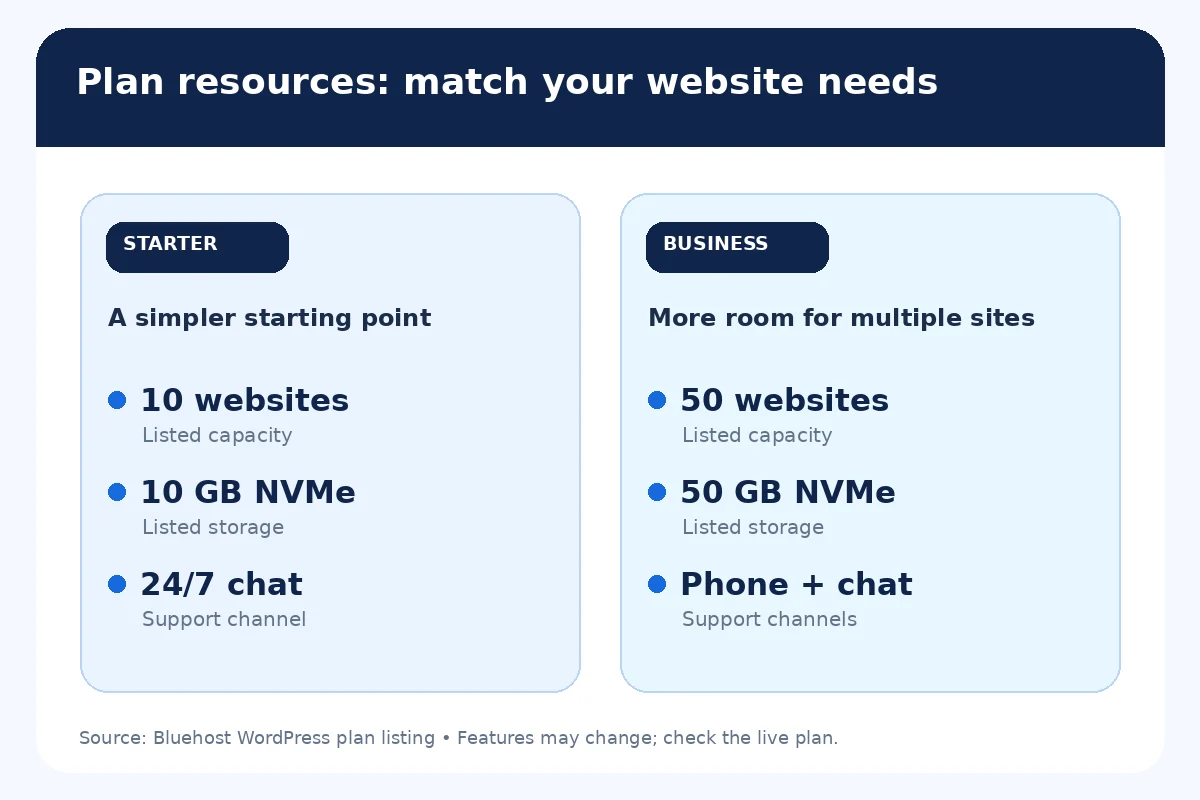
The WordPress hosting listing currently advertises 10 websites and 10 GB of NVMe SSD space for Starter, compared with 50 websites and 50 GB for Business. The distinction matters if you operate multiple sites, use space-heavy galleries or expect staging and media requirements to grow. It does not mean every Starter buyer should build ten sites or that a site using 10 GB can safely fill every available byte.
For a new blog, brochure website or small portfolio, Starter’s allocation may be plenty if media is optimized and your workload stays modest. For an agency managing many small client sites, Business offers more listed capacity, but operational needs—separate client access, backups, security isolation and server-resource limits—may eventually make a different hosting architecture appropriate.
Practical decision: estimate the number of active installations, image/video storage, database growth and space for updates. If you cannot describe a concrete reason to need the higher allowance, don’t upgrade just to increase a quota.
2. Introductory cost is not your entire hosting budget
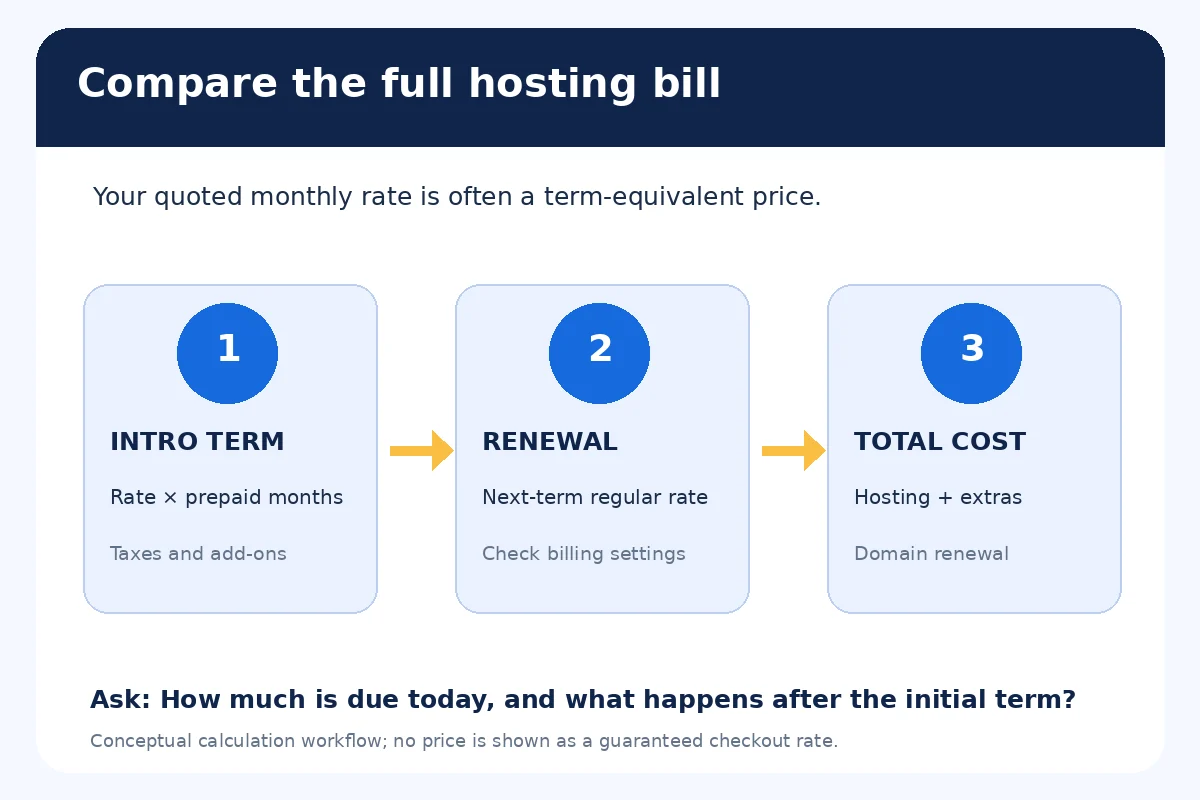
Bluehost publishes a 36-month equivalent introductory rate of $3.99 per month for Starter and $6.99 for Business on the plan page reviewed for this article. Multiplying by 36 gives $143.64 versus $251.64 of illustrative initial hosting charges, before taxes, add-ons and any checkout adjustments. The difference is $108 over the initial three-year term.
That is only one part of the cost. The same public listing shows a 36-month renewal equivalent of $9.99 for Starter and $13.99 for Business. If those displayed rates were applied to a full subsequent 36-month term, the arithmetic would be $359.64 and $503.64, respectively, excluding extras. These are illustrative figures based on today’s published renewal equivalents, not a prediction that prices will be unchanged three years from now. The actual price for your account is shown in the Bluehost renewal center.
The savings percentages on Bluehost’s shared-hosting pricing page describe the initial promotion. A 60% off or 50% off headline does not mean renewals will receive that percentage discount. When deciding, compare both the cash due today and your reasonable willingness to pay the regular rate later.
What to check at checkout
- Contract length: Is the published rate tied to 36 months, 12 months or a monthly subscription?
- Upfront total: How much is charged before the service begins, including applicable taxes?
- Renewal: What term and rate follow the discounted period, and is auto-renew enabled?
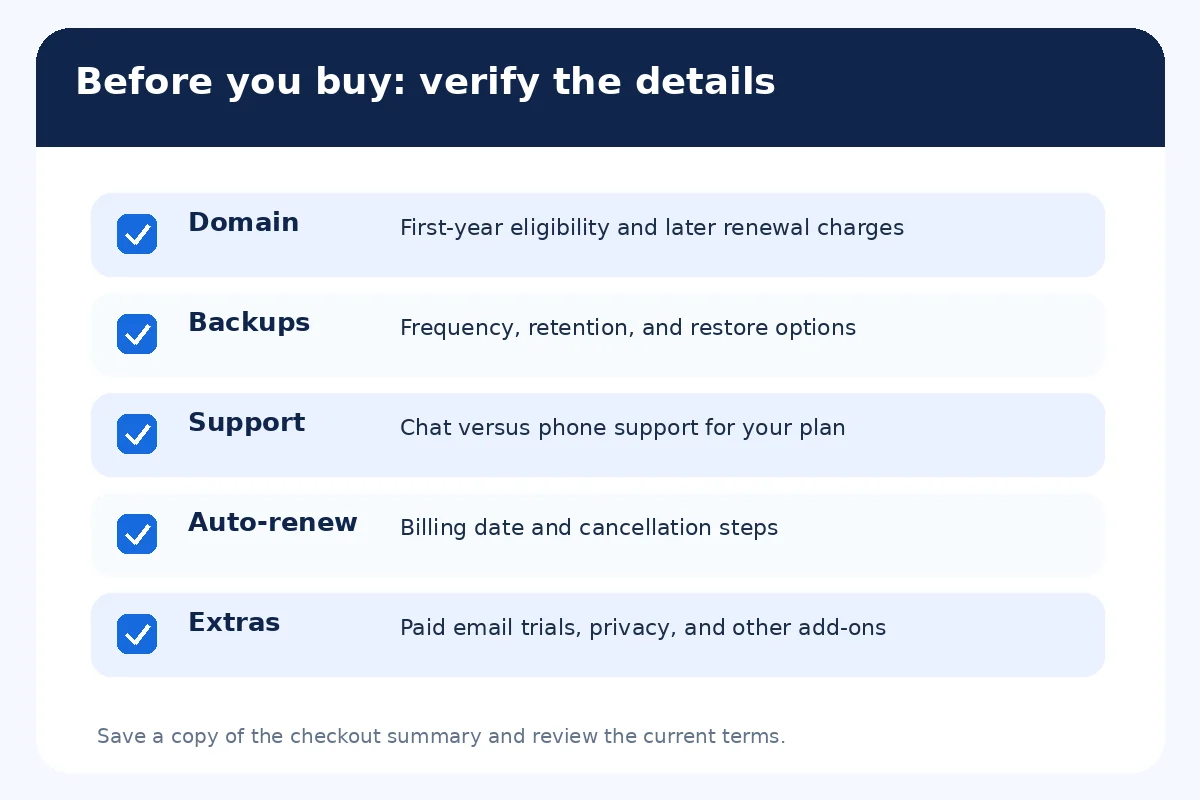
- Additional products: Are domain privacy, professional email or premium backup services separately billed?
3. Does Business offer more useful support?
Starter advertises around-the-clock chat support but does not include phone support. The Business listing includes phone support in addition to chat. This is a meaningful purchasing distinction for someone who prefers voice contact or delegates website administration to a team that uses phone support.
However, an included phone channel is not a guarantee of a shorter resolution time. If your website is mission-critical, evaluate your own support requirements, escalation expectations and backup strategy rather than assuming Business automatically provides enterprise-level support.
4. WordPress tools, security and backups
Both of these publicly listed WordPress plans include a site builder with AI-assisted tools, managed WordPress updates, a free SSL certificate, a CDN, website staging and weekly website backups. Bluehost also advertises malware scanning, protection features and a 99.99% uptime SLA on its plan listings. Those are Bluehost’s advertised products and service commitments, not performance measurements gathered for this guide.
A weekly backup policy may leave a recovery gap if content changes daily. If you publish often, process orders or accept user submissions, take independent backups at a schedule appropriate to your data loss tolerance, verify their contents and practice restoring a copy. Check whether an advanced backup product is an optional extra and whether restoration support is included.
SSL and a security feature list do not replace maintaining plugins, limiting account access and following basic WordPress security practices. Similarly, a published uptime SLA should be read with its eligibility, exclusion and remedy conditions rather than treated as proof of uninterrupted operation.
5. The free domain and add-ons: easy details to miss
Bluehost describes one eligible first-year domain with 12- or 36-month hosting plans, subject to allowed top-level domains and a 90-day redemption window. The domain can renew at the then-current price after its free period. Premium domains and other exclusions apply. If you already own a domain, compare transfer eligibility and the benefit of keeping registration separate from hosting.
Bluehost also advertises an email free trial on certain plans. Free-trial language should prompt a renewal-calendar check, not an assumption of permanent no-cost email. Domain privacy, professional email upgrades, premium services and other add-ons may not be included in the hosting price.
6. Refunds and cancellation are conditional
Bluehost’s official refund policy describes a 30-day money-back guarantee for eligible new hosting fees, with important exclusions. Not every Bluehost service qualifies: domain registration fees, many add-ons, monthly-term products and cloud hosting are excluded from the stated hosting guarantee. Renewal refund rules also differ from those for new signups. Always read the policy for your selected product rather than relying on a general refund badge.
Before purchasing, confirm whether cancellation stops future renewal or triggers any charge on your current order. Keep an independent copy of website data and domain credentials in case you decide to change providers later.
7. Which plan should you actually choose?
Choose Starter when…
- You are launching a small WordPress site or a limited collection of sites.
- 10 GB of listed storage is sufficient for your current files and growth buffer.
- Chat support is enough, and keeping the initial and renewal hosting budget lower matters most.
- You are comfortable reviewing paid add-ons and maintaining your own backups.
Consider Business when…
- You maintain more websites and will make use of the additional published capacity.
- Your content, media and operational requirements justify the higher storage allocation.
- Included phone support has practical value to you or your team.
- You understand and accept the larger initial commitment and renewal equivalent.
Don’t choose Business solely because it is a higher tier. Conversely, do not choose Starter solely because its initial discount is larger. Select the smallest plan that meets your verified technical and support needs, with room for a realistic near-term increase in demand.
How to compare a live Bluehost offer in five minutes
- Open Bluehost’s live WordPress hosting plan comparison.
- Identify your required website count, file storage and support channels.
- Switch billing periods and note both the payable checkout amount and displayed renewal rate.
- Remove extras you do not want; confirm the domain and email terms separately.
- Save the final order summary and set a calendar reminder before renewal.
Frequently asked questions
Is Bluehost Starter enough for one WordPress website?
For many lightweight projects, it can be, provided the site’s actual storage and resource requirements fit the plan. The published Starter tier currently lists capacity for 10 websites and 10 GB NVMe storage. The right choice still depends on your workload.
Does Business make WordPress faster than Starter?
The published plan comparison alone does not establish that Business will be faster for any particular site. Performance depends on resources, site code, caching, location and traffic; this article did not run a controlled speed test.
Are the $3.99 and $6.99 rates monthly subscriptions?
They are published monthly equivalents tied to a 36-month term in the examples reviewed here. The initial term is prepaid; monthly purchase terms, if available, can be priced differently.
Can Bluehost offers be combined?
Not necessarily. Bluehost’s current Buy More, Save More campaign says it cannot be combined with other offers. Read the live checkout conditions and use only eligible, actually applied discounts.
What happens when my free domain year ends?
An eligible domain generally renews at the then-current domain rate unless canceled. The hosting deal and domain-renewal charge should be budgeted separately.
Editorial disclosure: CouponF5 is an independent publication summarizing merchant-supplied information. No Bluehost order, coupon redemption, support interaction or hosting benchmark was tested for this article. Pricing and eligibility may change; confirm the latest displayed terms before purchasing.