A closer look
About Bluehost
Bluehost provides web hosting, managed WordPress hosting, domains and website-building services for individuals, small businesses and online stores. If you’re searching for Bluehost coupons, the most useful starting point is to compare current introductory plan prices with the regular renewal rate. Bluehost’s published promotions can reduce an eligible initial hosting term, but they do not automatically reduce later renewals.
Bluehost deals and current hosting offers
On November 12, 2026, Bluehost’s US-facing WordPress hosting pricing page displayed Starter at $3.99 per month equivalent and Business at $6.99 per month equivalent for a prepaid 36-month term. The corresponding listed same-term renewal prices were $9.99 and $13.99 per month equivalent. Bluehost’s shared-hosting pricing page describes these entry prices as 60% and 50% promotional savings, respectively. These are monthly equivalents of longer upfront commitments, not a promise that one month alone costs that amount.
The main Bluehost pricing page also advertised a separate Buy More, Save More promotion for eligible purchases made October 1–November 30, 2026: 15% off one eligible product, 20% off two, or 25% off three or more in the same order, automatically applied. This campaign covers selected products and the first 12-month term only. It cannot be combined with other offers. A lower advertised plan rate and the multi-product promotion should never be assumed to stack.
Some eligible 12- or 36-month hosting purchases include one domain for the first year. Eligible extensions, redemption within 90 days, later domain renewal charges and other exclusions apply. A first-year free domain is not a permanently free domain.
Which Bluehost services can you choose?
- Shared web hosting: an entry-level option for low-to-moderate traffic websites; compare resources and support access by tier.
- WordPress hosting: plans with WordPress-oriented tools, managed updates and a guided website creation workflow.
- Online store and business options: ecommerce-related packages and additional site tools, with different eligibility and cost structures.
- Domains, email and services: domain registration, professional email trials and optional paid add-ons; check what renews separately.
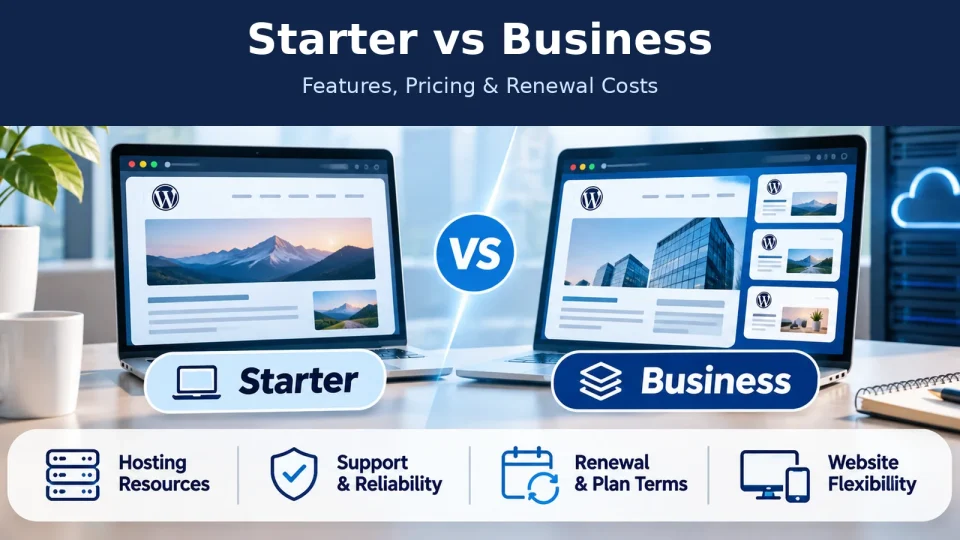
Starter versus Business: who needs which?
For its current managed WordPress plan listing, Bluehost specifies 10 websites and 10 GB NVMe storage on Starter, compared with 50 websites and 50 GB NVMe storage on Business. The listed Starter support includes 24/7 chat, while Business adds phone support. Both show free SSL, a CDN, WordPress-focused tools, weekly backups and a first-year domain offer subject to eligibility. These are advertised plan features, not measured speed or uptime results.
Choose Starter if your site requirements fit the lower allocation and chat support meets your needs. Consider Business if you manage more sites, need additional listed storage or value included phone support. Neither should be chosen solely because a larger crossed-out discount looks impressive.
Understanding introductory and renewal prices
Bluehost’s advertised monthly equivalents are commonly linked to prepaid multi-year terms. A 36-month Starter term at an advertised $3.99 monthly equivalent is $143.64 before eligible taxes and extras; a 36-month Business term at $6.99 is $251.64 before those charges. These figures are arithmetic based on displayed rates, not verified checkout invoices. The subsequent 36-month renewal equivalents displayed on the same pricing page are $9.99 and $13.99 per month, respectively; compare the full future total and your renewal-center terms before paying.
Bluehost explains that introductory discounts apply to the initial term and auto-renewal generally occurs at the then-current regular price unless canceled or adjusted. Domain renewal, privacy products, email trials and other extras can produce separate charges. Product prices, renewals and feature allocations may change.
Refunds, cancellation and important limits
Bluehost publishes a 30-day money-back guarantee for certain eligible hosting fees, including qualifying new shared-hosting purchases. However, it excludes some products and billing periods, including cloud hosting, monthly-term services, domains and many add-ons. Refunds of renewals and domain-related costs follow separate restrictions. Read the official Bluehost refund policy and your order details rather than assuming every charge is refundable.
How to use a Bluehost deal wisely
- Select the hosting product that matches your website and support needs.
- Choose a billing term, then check the actual amount due today rather than just the monthly equivalent.
- Look for an automatically applied eligible promotion; do not assume that separate discounts combine.
- Review domain conditions, optional add-ons, refund exclusions and regular renewal rates.
- Save the checkout summary and revisit renewal settings before the next billing date.
Editorial note: CouponF5 independently summarizes published Bluehost offers and policies as of November 12, 2026. We did not test a checkout or hosting performance. Confirm current eligibility, pricing and terms with Bluehost before purchasing.
Helpful information
How to apply Bluehost coupon codes
- Choose a Bluehost offer and read its conditions.
- Copy the code if one is provided, then visit Bluehost.
- Add eligible items and apply the code at checkout where available.
- Check the final total before paying.
How We Review Offers
We review the available offer information, including stated conditions and expiry details where provided. Offers can change, and a code may not apply to every order. Always check the merchant’s terms and final checkout total.
Affiliate Disclosure
CouponF5 is an independent publisher. We may earn a commission when you purchase through our links, at no extra cost to you. Merchant terms apply.
Bluehost Questions & Answers
Where can I find Bluehost coupons and promo codes?
Browse the Bluehost offers listed on CouponF5, then check the official store website for additional promotions. Compare the conditions and confirm the final price before ordering.
Will Bluehost discounts apply automatically at checkout?
It depends on the offer. Some deals apply automatically through the offer link, while others require a coupon code. Review the offer details and check that the discount appears before paying.
How do I apply a Bluehost coupon code?
Select Get Code to copy the code and open the store. Add eligible items to your cart, enter the code in the promo or discount field at checkout, and apply it. Confirm the discount before completing your purchase. For offers without a code, select Get Deal and follow the merchant’s instructions.
Which Bluehost offer should I choose?
Choose an offer that applies to your purchase and gives you the best final total. Compare minimum spending requirements, product exclusions, shipping costs, and customer eligibility rather than looking only at the discount percentage.
How often does Bluehost release new coupons?
There is no guaranteed schedule. Promotions may change during seasonal sales, product launches, or other events. Check the current listings and the official store website before shopping.
Why isn’t my Bluehost coupon code working?
Check that you entered the code correctly and that it has not expired. Your order may need to meet a minimum spend, include eligible products, or qualify for a particular customer or region restriction. Remove another applied code if necessary and review the merchant’s terms.
Can I combine multiple Bluehost coupon codes?
Combining codes depends on the merchant’s rules and the conditions of each promotion. Do not assume that multiple codes, sale prices, or other discounts can be used together. Check the terms and confirm which savings appear at checkout.
Are Bluehost offers limited to new customers?
Some offers may be restricted to first-time customers, while others may be available to returning shoppers. Check each offer for account, subscription, location, or purchase requirements before using it.
What if no Bluehost coupon codes are available?
You can check the official store for sale items, automatic discounts, bundles, or newsletter offers when available. A deal may provide savings without requiring a code. Compare the final total and avoid buying extra items solely to qualify for a promotion.