CouponF5 is an independent publisher. We may earn a commission when you purchase through our links, at no extra cost to you. Merchant terms apply.

In this guide
To choose web hosting for your website, start with the kind of site you are building, then compare the hosting type, technical requirements, realistic resource limits, security, backups, support, and total cost after renewal. A low introductory rate can be useful, but it is not proof that a plan is reliable or affordable over time. The right choice is a service that can run your software, handle expected traffic, and let you recover or move your site when necessary.
This guide is for first-time website owners, bloggers, small businesses, and people moving an existing site. It explains the trade-offs without ranking specific hosts or claiming performance tests that have not been run.
1. Define what your website actually needs
Before opening a provider’s pricing page, write down the essentials: your website platform, the type of content you will publish, expected visitor locations, whether visitors log in or pay online, your technical experience, and what happens if the site becomes unavailable.
- Simple portfolio or brochure site: Usually needs modest resources and uncomplicated management.
- Blog or WordPress site: Check supported software versions, database access, caching options, updates, and migration help.
- Online store: Prioritize secure transactions, reliable backups, software compatibility, responsive support, and predictable resource headroom.
- Custom application: Confirm runtime support, deployment access, databases, memory, background jobs, and monitoring before selecting a plan.
You do not need a precise visitor forecast to begin, but you should know whether your traffic is steady or likely to spike. Also decide how much administration you are willing to do yourself.
2. Choose the right type of hosting
Hosting products use overlapping marketing labels. The following table is a practical starting point, not a promise of speed or uptime; actual features vary by provider and plan.
| Hosting type | Usually a good starting point for | Key trade-off |
|---|---|---|
| Shared hosting | Small websites and straightforward blogs | Lower management burden, but resources are shared and plan limits matter |
| Managed WordPress hosting | WordPress owners who value platform-specific help | Convenient maintenance options, with potentially higher cost or plugin restrictions |
| VPS hosting | Growing sites or apps needing more control | More control and allocated resources, but unmanaged plans demand server skills |
| Cloud hosting | Applications needing flexible capacity or specialized infrastructure | Scalability options depend on architecture; billing and operations may be more complex |
| Dedicated hosting | Specialized, consistently resource-intensive workloads | Greater hardware control, typically with higher costs and administration needs |
A managed plan is not automatically faster than an unmanaged plan, and the word “cloud” does not guarantee high availability. Ask for the actual architecture, support scope, and resource limits. WordPress also distinguishes generic hosting from WordPress-specific hosting; the latter may bundle updates, backups, and developer tools. See WordPress’s hosting overview.
3. Use these 10 checks to compare hosting plans
Check 1: Software compatibility
Verify that the host supports your CMS, database, and any application requirements—not merely a “one-click install” button. For WordPress, the official requirements page currently recommends PHP 8.3 or greater, MariaDB 10.11 or greater or MySQL 8.0 or greater, and HTTPS support. These are a recommended modern baseline; you should also confirm the host’s update policy and any PHP extensions your particular plugins need.
If you use another application, check its official compatibility documentation before purchasing. Ask whether you can choose supported runtime versions and how long security updates are provided.
Check 2: Performance for your actual visitors
Look beyond “fast servers” and “premium SSDs.” Ask where the origin server is located, whether caching is available, how dynamic pages are handled, and whether independent speed testing is available for a workload comparable to yours. A host can advertise high-speed hardware while your site is slowed by heavy themes, unoptimized images, or resource contention.
A content delivery network (CDN) can cache suitable content closer to visitors and reduce latency, but it does not replace the original web host or speed up every uncached database operation. Cloudflare’s CDN explanation is useful background. If performance is business-critical, test a staging copy with representative pages and visitors before committing long-term.

Check 3: Resource limits and restrictions
Read the plan specifications for storage, CPU, RAM, concurrent processes, databases, bandwidth policies, and file or inode limits. “Unlimited” storage or bandwidth does not necessarily remove fair-use or resource restrictions; inspect the actual terms. For a media-heavy site, storage and backup size may matter more than a headline visitor allowance. For a dynamic store, process and memory limits may matter more than storage alone.
Ask what happens at the limit: does the site slow down, get throttled, incur overage charges, or require a manual upgrade?
Check 4: Uptime, monitoring, and service commitments
Review the uptime service-level agreement (SLA), the measurement method, any exclusions, and the remedy offered if the SLA is missed. A service credit is not the same as compensation for lost orders or visitors. Look for transparent incident communications and evidence from a reasonable observation period. No published percentage can guarantee your individual website will never experience an outage.
For a business-critical site, ask how the provider handles network interruptions, hardware failures, datacenter incidents, and maintenance windows. You may also want independent uptime monitoring once your site launches.
Check 5: Security and HTTPS
Confirm HTTPS certificate availability and renewal, account-level two-factor authentication, software patching responsibilities, malware response options, and isolation between customer workloads. A free certificate is useful, but certificates alone do not secure vulnerable plugins or weak passwords. If you use a reverse proxy or CDN, verify that encryption is configured appropriately between visitors, the edge, and your origin. Cloudflare’s SSL/TLS setup documentation illustrates why certificate and HTTPS configuration both matter.
For an online store, ask about the provider’s security scope and your own obligations before accepting payments. Do not interpret a generic “secure hosting” badge as evidence that your whole application is compliant or protected.
Check 6: Backup and recovery, not just backup advertising
Find out how frequently backups run, what they include, how long they are retained, whether copies are stored separately, and how restoration works. Ask whether recovery is included in the plan or incurs a fee. A backup that has never been restored is an unproven recovery plan. The AWS Well-Architected reliability guidance recommends automated backups and periodic recovery tests.
Keep an independent copy of important site files and databases when practical. Match backup frequency and acceptable recovery time to the value of your data—for example, a site that receives daily orders has different needs from an infrequently updated brochure page.

Check 7: Support that matches your skills
Check support channels, published hours, response targets, and the exact boundaries of “managed” help. Some teams assist with DNS, email, WordPress errors, and migrations; others only troubleshoot the hosting platform itself. Open a pre-sales question with a specific technical requirement and judge the clarity of the response, not just how quickly a generic reply arrives.
For a first website, accessible help can matter more than an advanced control panel. For developers, shell access, logs, staging, deployment tools, and transparent escalation procedures may be more important.
Check 8: Total cost after the introductory term
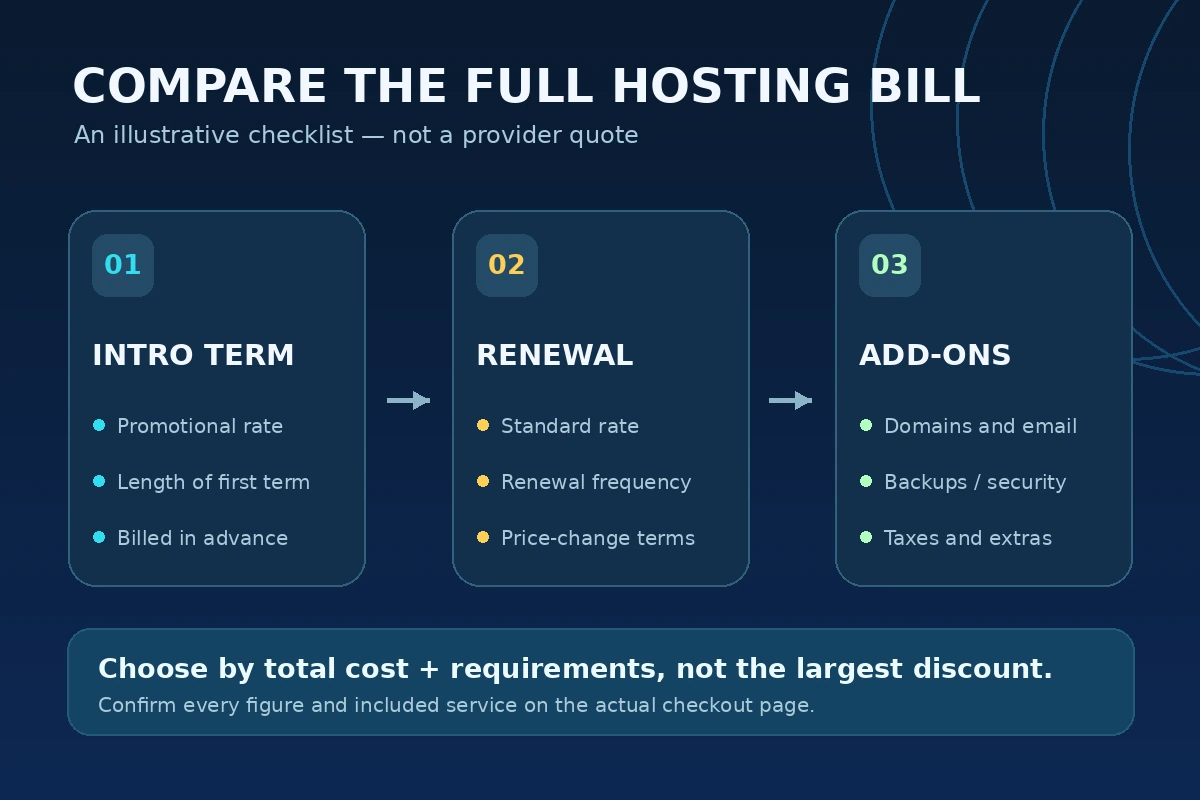
Compare the full invoice rather than only the advertised monthly equivalent. Many promotions depend on paying a longer term upfront; later renewals may be priced differently. Write down the initial billed total, term length, renewal amount, taxes, required add-ons, optional security or backup charges, domain renewal fees, and the cancellation or refund policy.
A simple decision formula is: total expected ownership cost = first-term payment + expected renewal payments + necessary add-ons and taxes. Use actual checkout figures for each provider; do not assume prices, future discounts, or taxes. Verify whether the plan renews automatically and what steps stop renewal.
Check 9: Scalability without a difficult migration
Consider the next likely step for your website. Can you upgrade storage and compute without rebuilding everything? Are higher plans truly compatible with your software? Are databases, email, staging sites, and backups included after an upgrade? A host with an easy path from a basic plan to a suitable larger plan may be a better fit than buying excessive capacity on day one.
However, “scales instantly” is too broad unless a provider explains what scales automatically, under which triggers, and at what cost. For unpredictable applications, ask for limits and billing controls.
Check 10: Portability, migration, and ownership
Make sure you can export your website files and databases, transfer or manage your domain independently, and obtain a usable backup. Confirm any migration fee or supported migration scope, including mailboxes and DNS. For changes that keep the same URLs, Google Search Central recommends testing the new infrastructure, changing DNS, monitoring traffic, and only then shutting down the old infrastructure. It does not recommend switching off the old site immediately.
Ask about plan cancellation, data-retention windows, account access after cancellation, and whether there is a lock-in to proprietary software. The easiest host to buy is not necessarily the easiest to leave.
Which hosting option fits your website?
| Your situation | Reasonable option to evaluate first | Verify before purchase |
|---|---|---|
| Personal portfolio or small informational site | Entry-level shared hosting | Software support, storage limits, HTTPS, basic backups and renewal price |
| WordPress blog run by a beginner | Shared or managed WordPress hosting | Current WordPress requirements, updates, support boundaries and backup restores |
| Growing content site or custom app | Managed VPS or appropriate cloud plan | CPU/RAM allocation, logs, deployment, scalability and operational responsibility |
| Online shop with important customer data | Managed hosting with appropriate security and recovery | Payment integration requirements, tested recovery, incident support, and real workload performance |
| Specialized high-resource application | VPS, cloud architecture or dedicated resources | Actual architecture, support expertise, capacity, monitoring and operating costs |
These are decision shortcuts, not personalized recommendations or benchmark results. More expensive is not always better, and a basic shared plan may be entirely sufficient for a small, optimized website.
Warning signs to investigate
- A promotional headline without a clear first-term invoice and renewal rate.
- “Unlimited” claims without accessible terms describing resource restrictions.
- Backup features that omit retention, scope, offsite storage, or restoration details.
- An uptime promise with no understandable measurement method or exclusions.
- “24/7 support” that does not specify channels or what issues staff will resolve.
- A difficult or undocumented way to export your own data and domain settings.
- Security or speed claims with no technical explanation or meaningful evidence.
One warning sign does not automatically disqualify a provider. It indicates where to ask a precise question before buying.
A web hosting checklist to use before checkout
- Write down your platform, website type, expected traffic pattern, and skill level.
- Select a hosting type suited to those needs, rather than choosing by a discount badge.
- Confirm software versions, storage, memory, process limits, and data-center options.
- Check HTTPS, account protection, backup retention, and restore procedures.
- Test a realistic support question and read the SLA and service terms.
- Calculate first-term plus renewal costs and necessary extras using the actual cart.
- Confirm migration, domain control, cancellation, and export options before paying.
Frequently asked questions
What type of web hosting is best for beginners?
For many simple websites, a well-supported shared hosting plan or managed WordPress plan is a reasonable place to start. Choose based on software compatibility, practical support, backup terms, and total cost—not a claim that one hosting category is universally fastest.
Is shared hosting enough for a small business website?
It can be, particularly for a modest brochure-style site with optimized pages and predictable traffic. Sites with complex checkout flows, heavy plugins, or large traffic spikes may need more resources or management. Check the actual plan limits and test important workflows.
Do I need cloud hosting for good website speed?
No. Website speed depends on the specific hosting configuration, application, caching, images, network location, and workload. Cloud hosting can offer useful architecture or scaling options, but the label itself does not guarantee faster pages.
Are free SSL certificates and backups enough for security?
No. HTTPS helps protect connections, and backups help recover data, but you still need patching, access control, secure passwords, appropriate application defenses, and a recovery process you have actually tested.
Should I choose the longest discounted hosting plan?
Only if the complete term cost and commitment fit your needs. A longer term can lock you into a service before you have enough experience with its support and performance. Compare first-term totals, renewal costs, refund rules, and cancellation terms before making the trade-off.
The bottom line
The most useful way to choose web hosting is to match a plan to your website’s real requirements, test the claims that matter, and budget for renewals. If you are unsure, start with a suitable manageable plan that has documented limits and an understandable upgrade path. Preserve control over your domain and data so you can change providers if your needs change.
Sources and editorial method
This independent educational guide was prepared using official WordPress documentation, Cloudflare’s technical explanations, AWS’s backup guidance, and Google Search Central’s hosting-migration recommendations. Links below support specific technical points; they do not amount to a review or endorsement of any hosting vendor. No hosting account, checkout, support team, or performance benchmark was independently tested for this article.