CouponF5 is an independent publisher. We may earn a commission when you purchase through our links, at no extra cost to you. Merchant terms apply.

In this guide
HostGator hosting plans are worth comparing if you are launching a blog, small-business website, WordPress project, or store and want a provider with several ways to grow. The best choice depends less on the largest advertised discount and more on the site’s software, resource requirements, technical skills, and total cost after the introductory term. A simple site may fit shared hosting; a customized application may call for VPS; and a business with demanding server-control requirements should assess dedicated hosting. Here is how to choose without confusing a short-term deal with long-term value.
How HostGator hosting plans differ
HostGator markets several hosting families rather than one universal package. The meaningful distinction is the level of shared resources, software specialization, and server administration you need. The names and features of individual tiers can change, so confirm the current plan comparison at checkout.
Shared hosting: start with a straightforward website
Shared hosting places multiple customers on a physical server. That is usually an economical arrangement for a portfolio, a small company site, or a blog without unusual infrastructure needs. HostGator’s shared-hosting documentation identifies Hatchling, Business, and Pro tiers and describes differences in website capacity, storage, and support. Do not confuse an advertised visit guideline with a performance guarantee: resource-intensive plugins, traffic spikes, and configuration restrictions still matter.
WordPress and eCommerce hosting: choose for the workflow
For a WordPress-centered site, compare HostGator’s WordPress offering with its general shared plans. Ask whether the plan includes the backups, updates, staging, security, and support level you intend to use. An eCommerce business should also account for store plugins, payment integration, email delivery, and the operational cost of keeping a catalog updated. A website being built with WordPress does not automatically require the most expensive WordPress-labeled plan; evaluate the concrete features first.
VPS and dedicated: control changes the trade-off
A VPS may fit developers or growing sites requiring more configuration control than a conventional shared account. Dedicated hosting is aimed at buyers who need an isolated physical-server environment. Either can be excessive for a basic brochure site. Greater control also means planning for administration, monitoring, backups, and incident response instead of assuming every task is handled by the host.
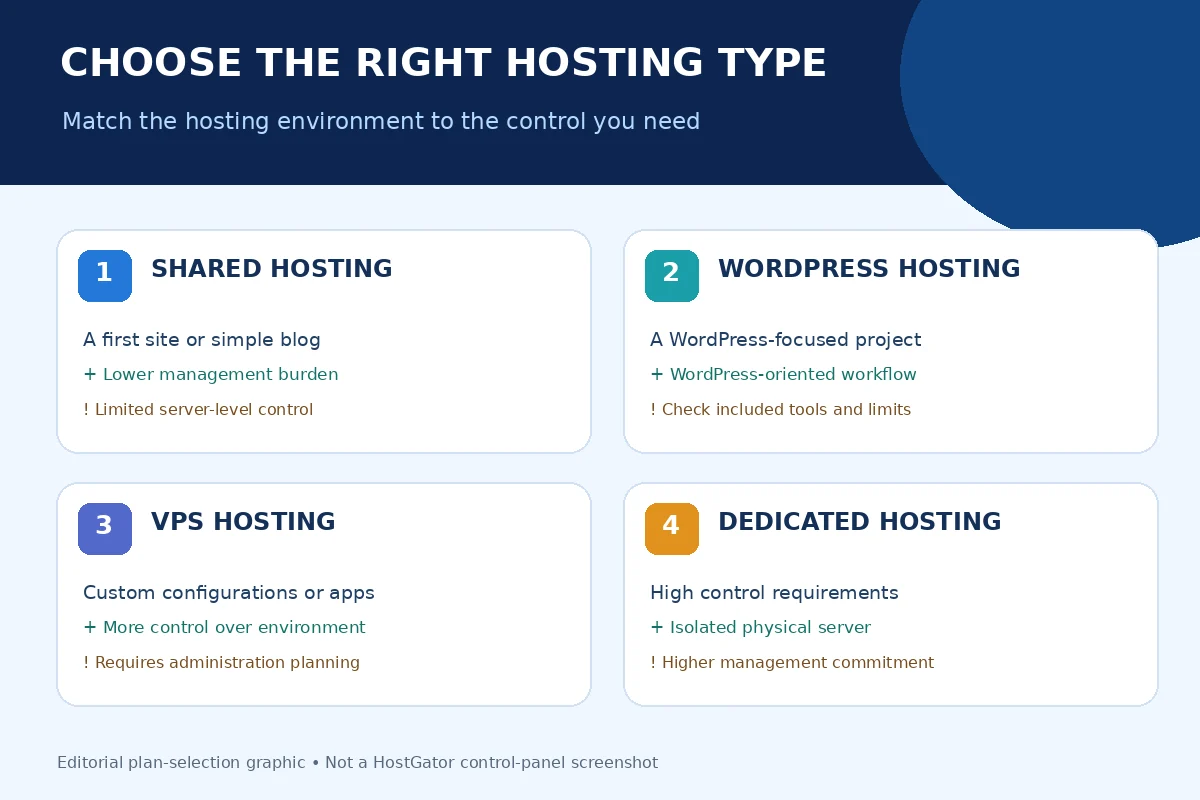
Which HostGator option fits your situation?
For a first personal website: start by comparing entry shared tiers and identify the minimum necessary storage, site count, and domain arrangement. Resist paying for capacity you will not use in the first year.
For a business WordPress site: favor the plan with the update, backup, security, and recovery workflow your team can actually maintain. If the website is revenue-critical, test its operational requirements independently before selecting on price.
For an online store: evaluate eCommerce-specific setup and the hosting resources needed by the actual store software. Remember that payment processing, premium plugins, email, and outside services may cost extra even when hosting is discounted.
For developers or customized applications: inspect VPS access, management responsibility, scaling options, and the cost of any required control-panel license. A specialist cloud provider may deserve comparison if custom infrastructure and automation are the primary requirements.
Why the first-term discount is not the complete price
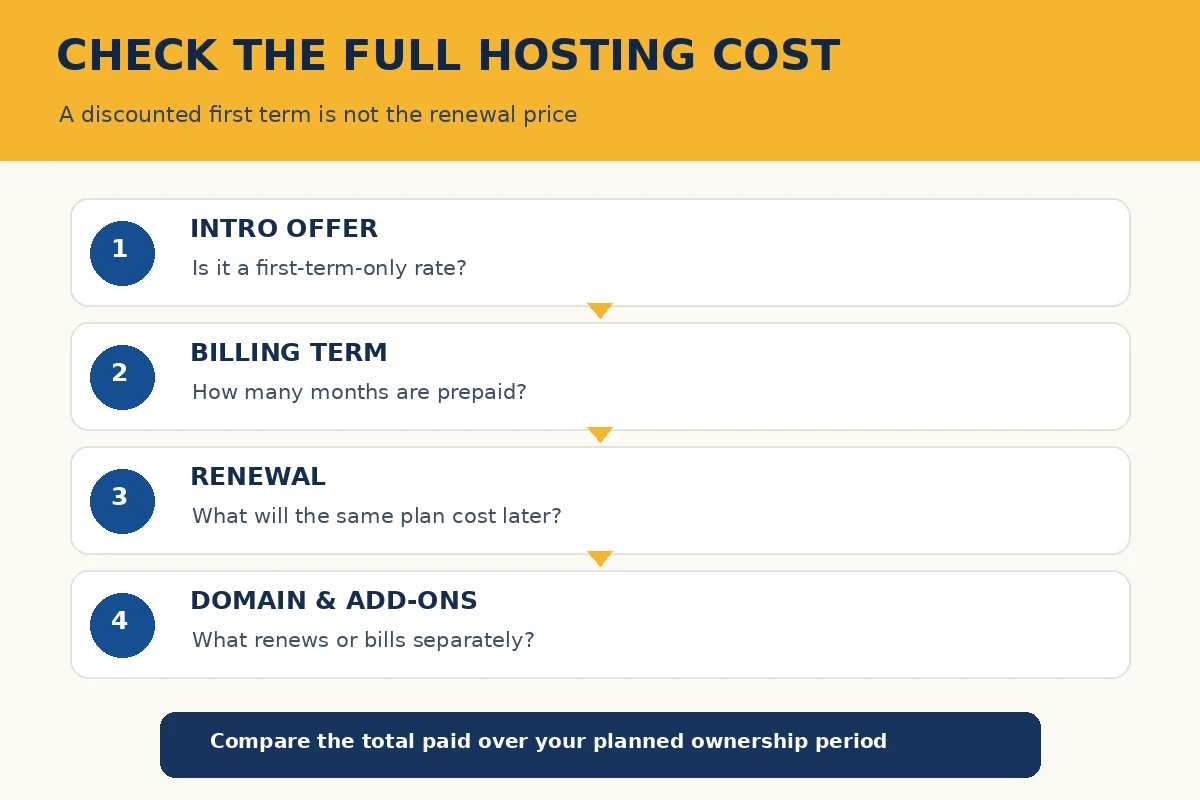
HostGator publicly promotes introductory offers, including an official coupon listing for the SNAPPY code advertising up to 70% off on the qualifying Baby plan with a 36-month term. That phrase matters: the maximum is tied to specific eligibility, and a shopper should not assume the same percentage applies to another plan, term, or existing subscription. See the official HostGator offers and restrictions before treating a coupon as applicable.
Calculate the entire first invoice, not only the advertised monthly equivalent. For example, if the checkout quotes a hypothetical $4 per month for a 36-month package, the hosting commitment would be $144 upfront before taxes or extras. This is an illustration, not a verified HostGator price. Then record the actual renewal amount displayed in the cart or account and compare it over your intended ownership period.
A free domain for the first year can help reduce startup cost, but qualifying extensions, purchase terms, and the ability to combine promotions are restricted. Renewal is not free forever; cancelling a qualifying hosting package can also affect the domain-related refund calculation. Additional items such as professional email, security services, or backups may carry their own future fees.
What does the refund policy actually cover?
HostGator documents a 30-day hosting money-back guarantee for eligible initial purchases, with meaningful exclusions. Its help center says the protection does not cover all monthly-term services, renewals, domain registration fees, or add-ons, and that the applicable cancellation process must be completed within the policy window. Consult the current HostGator refund guidance, especially if your order includes a domain or extras. A guarantee is not a substitute for reviewing what is nonrefundable.
Strengths and limitations to weigh
Reasons to consider HostGator: it offers several familiar paths from shared hosting to more configurable infrastructure, publishes an official promotional page, and documents WordPress-related features and support options. For someone who wants hosting, a domain, and related services together, that breadth can simplify shopping.
Reasons to compare alternatives: introductory discounts can obscure higher subsequent costs; shared plans have resource and configuration limits; and add-ons may create separate renewals. A buyer needing fully managed infrastructure, highly specific developer tooling, or a strict monthly budget should compare at least one specialized WordPress host or cloud provider against the exact HostGator tier, using identical renewal periods and support expectations.
A practical checklist before you order
- Choose the hosting type first, then the tier based on real software and resource requirements.
- Confirm which features are included: backups, SSL, migrations, staging, email, and security tools.
- Compare the full checkout total, initial billing length, and stated renewal price.
- Check whether your chosen domain extension qualifies for a first-year offer and whether promotions combine.
- Save a copy of the order terms, renewal settings, and applicable cancellation instructions.
Bottom line: who should choose HostGator?
HostGator is a plausible shortlist choice for US buyers seeking conventional shared or WordPress hosting with a path toward VPS or dedicated services. It is less obviously the best fit for someone prioritizing low renewal cost above all else or requiring highly customized operations without administrative experience. Choose the specific plan that meets your needs, compare the renewal total with an alternative, and treat advertised discounts as first-term opportunities rather than permanent prices.
Research note: This is an independent, source-based buying guide. We did not purchase a plan, benchmark uptime, run load tests, or redeem a code at checkout. Any affiliate-link relationship should be disclosed where applicable.