A closer look
About DigitalOcean
DigitalOcean is a cloud platform for developers and businesses that need virtual servers, managed application hosting, databases, storage, and related infrastructure. Its services range from inexpensive self-managed Droplets to App Platform, which abstracts away much of the application infrastructure. The right choice depends on your workload, ongoing operations, and total bill—not only the entry price.
DigitalOcean Offers and Signup Credit
DigitalOcean’s current documented standard signup incentive is $5 in credit for 90 days, applied automatically when a new customer creates their first team. No promo code is required. A valid payment method must be added before the customer can create Droplets or other resources. The credit applies to eligible products other than SaaS Add-Ons; it cannot be moved between teams. The balance expires 90 days after signup. Additional usage beyond available credit can be billed to the account.
The current standard incentive differs from older webpages that describe $200 in credits for 60 days. Do not rely on expired signup promotions unless a separate currently valid partner or direct offer explicitly applies to your account. See DigitalOcean’s signup-credit documentation and the merchant’s promotional credit terms. CouponF5 has not created an account or performed a redemption test.
What Does DigitalOcean Sell?
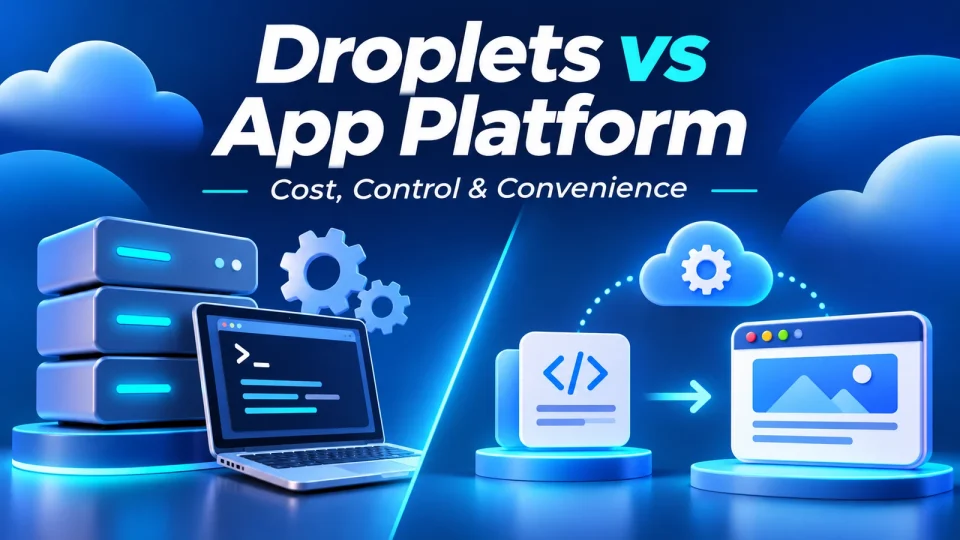
- Droplets: Cloud virtual machines (VMs) that let you choose an operating system, configure software, and manage the server environment yourself. Useful for custom applications and projects that need OS-level control.
- App Platform: A managed application deployment service that builds and runs apps from supported repositories or container images, helping reduce server maintenance work.
- Managed Databases: Database services with provider-managed infrastructure; options, sizing, and prices differ by engine and configuration.
- DigitalOcean Kubernetes: Managed Kubernetes control-plane services and worker infrastructure for container-based applications, with node and related resource charges.
- Spaces Object Storage: S3-compatible object storage for media, backups, and other files, with capacity and transfer terms.
- Other cloud services: Networking, storage volumes, load balancers, security features and AI-related compute or inference offerings where available.
DigitalOcean Pricing: What to Check
DigitalOcean’s public pricing pages list Basic Droplets starting at $4 per month for a 512 MiB plan, and App Platform paid app components starting at $5 per month for a specified shared-CPU configuration. These are different products with different resource allocations and management responsibilities; the starting numbers are not like-for-like performance benchmarks. App Platform also offers a free tier for qualifying static sites.
Costs beyond a base plan can include outbound bandwidth overages, added storage, managed databases, backups, additional app components, load balancers, and applicable taxes. DigitalOcean’s virtual-machine pricing uses usage-based billing with monthly caps on eligible bundled Droplet plans. Always check the current pricing page, expected monthly use, the region, and product details before subscribing.
Who Is DigitalOcean Best For?
Good candidates: Developers who want configurable virtual machines, small teams deploying web applications from Git, startups that need an accessible path from prototypes to production workloads, and technical users who prefer documented cloud services.
Compare alternatives if: You want an entirely managed website without server administration, prefer a traditional cPanel shared-hosting package, need a specialized enterprise cloud integration, or cannot monitor variable infrastructure costs. A managed application product may be easier to operate than a VM, but not every application fits its runtime and deployment rules.
How to Choose Between Droplets and App Platform
- List your required runtime, operating-system dependencies, traffic and storage needs.
- Choose Droplets when you need root or OS-level control and can handle updates, access security, deployment and monitoring.
- Consider App Platform when supported source/container deployment and less infrastructure maintenance are more valuable.
- Calculate all billable components at the same expected traffic and billing period; do not compare unlike hardware sizes solely by price.
- Check whether the new-account credit is visible on your actual account and whether an eligible resource will consume it.
Before Starting a DigitalOcean Subscription
Check the product’s official plan table, usage limits, support level, backups, application availability needs and billing alerts. Resource consumption can continue after a credit runs out; a free trial or signup credit is not a guarantee that your whole project will be free. If you choose an unmanaged Droplet, plan for security patches, backups and operations. If you choose App Platform, review supported deployments and the costs of databases, egress and multiple running components.
Editorial and Trademark Note
CouponF5 independently summarizes DigitalOcean’s publicly documented services, pricing and promotional conditions. We have not run performance tests or verified a live checkout. DigitalOcean, Droplet, and related logos and names are trademarks of DigitalOcean, LLC or its affiliates. This page is not affiliated with or endorsed by DigitalOcean, LLC.
Helpful information
How to apply DigitalOcean coupon codes
- Choose a DigitalOcean offer and read its conditions.
- Copy the code if one is provided, then visit DigitalOcean.
- Add eligible items and apply the code at checkout where available.
- Check the final total before paying.
How We Review Offers
We review the available offer information, including stated conditions and expiry details where provided. Offers can change, and a code may not apply to every order. Always check the merchant’s terms and final checkout total.
Affiliate Disclosure
CouponF5 is an independent publisher. We may earn a commission when you purchase through our links, at no extra cost to you. Merchant terms apply.
DigitalOcean Questions & Answers
Where can I find DigitalOcean coupons and promo codes?
Browse the DigitalOcean offers listed on CouponF5, then check the official store website for additional promotions. Compare the conditions and confirm the final price before ordering.
Will DigitalOcean discounts apply automatically at checkout?
It depends on the offer. Some deals apply automatically through the offer link, while others require a coupon code. Review the offer details and check that the discount appears before paying.
How do I apply a DigitalOcean coupon code?
Select Get Code to copy the code and open the store. Add eligible items to your cart, enter the code in the promo or discount field at checkout, and apply it. Confirm the discount before completing your purchase. For offers without a code, select Get Deal and follow the merchant’s instructions.
Which DigitalOcean offer should I choose?
Choose an offer that applies to your purchase and gives you the best final total. Compare minimum spending requirements, product exclusions, shipping costs, and customer eligibility rather than looking only at the discount percentage.
How often does DigitalOcean release new coupons?
There is no guaranteed schedule. Promotions may change during seasonal sales, product launches, or other events. Check the current listings and the official store website before shopping.
Why isn’t my DigitalOcean coupon code working?
Check that you entered the code correctly and that it has not expired. Your order may need to meet a minimum spend, include eligible products, or qualify for a particular customer or region restriction. Remove another applied code if necessary and review the merchant’s terms.
Can I combine multiple DigitalOcean coupon codes?
Combining codes depends on the merchant’s rules and the conditions of each promotion. Do not assume that multiple codes, sale prices, or other discounts can be used together. Check the terms and confirm which savings appear at checkout.
Are DigitalOcean offers limited to new customers?
Some offers may be restricted to first-time customers, while others may be available to returning shoppers. Check each offer for account, subscription, location, or purchase requirements before using it.
What if no DigitalOcean coupon codes are available?
You can check the official store for sale items, automatic discounts, bundles, or newsletter offers when available. A deal may provide savings without requiring a code. Compare the final total and avoid buying extra items solely to qualify for a promotion.